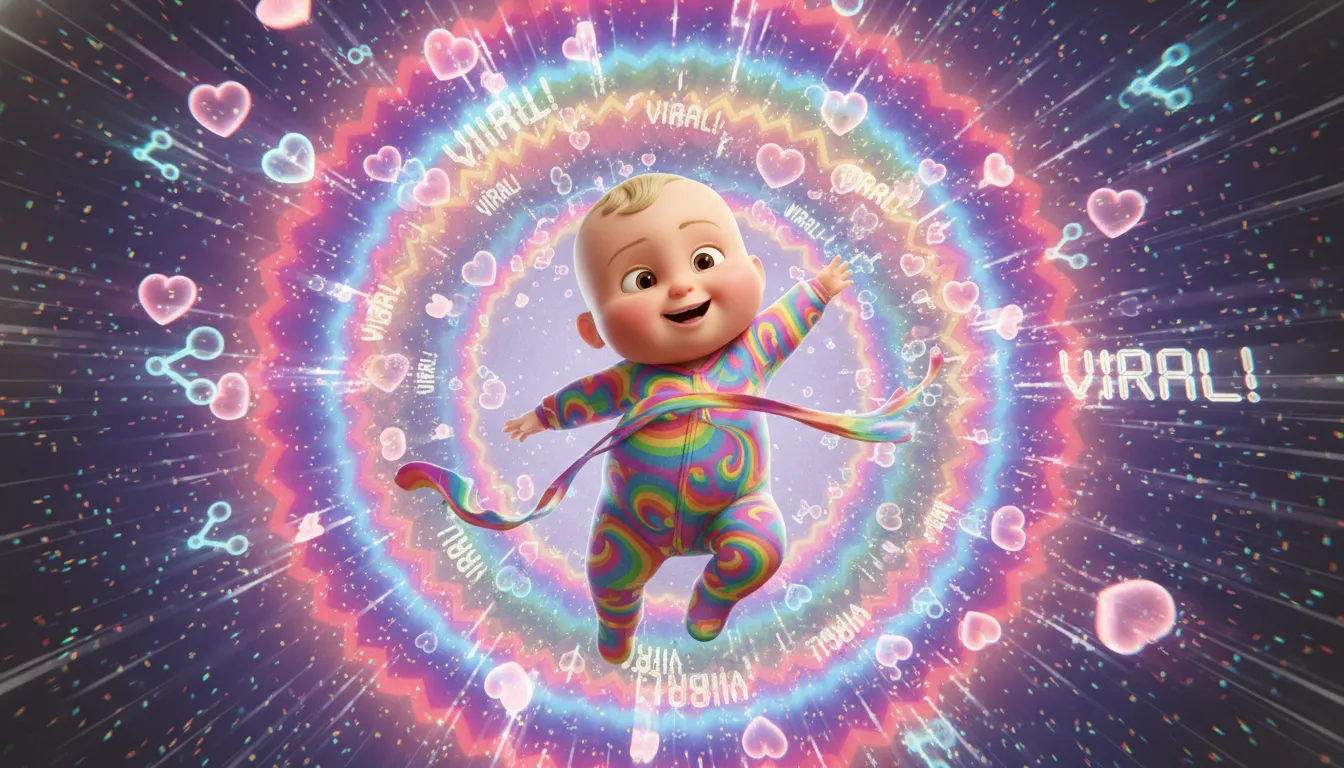
Creating AI baby dance videos has never been easier! Whether you want to make your baby's photo dance to trending TikTok songs or create adorable animated babies for social media content, this comprehensive guide will show you exactly how to do it, from photo to finished video.
🚀 Try It Now: Create Your Baby Dance Video
Before we dive into the details, try our AI baby dance generator to create your first dancing baby video in under 60 seconds!
TL;DR
Want to create viral AI baby dance videos? This guide covers everything you need to know. You'll learn how to transform any baby photo into an adorable dancing video using AI tools like Kling AI, Viggle, and our own Baby Dance AI generator.
We'll cover: selecting the perfect baby photo, choosing viral dance templates, step-by-step generation process, audio synchronization, and optimization tips for maximum social media engagement. By the end, you'll have all the skills to create professional-quality baby dance content that can rack up millions of views.
Reading time: 12 minutes.
💡 Takeaways
- 😀 You can create AI baby dance videos with Baby Dance AI (the first clip is paid) or with the free tiers of third-party tools like Viggle and Kling AI
- 🎓 The best source photos are front-facing, well-lit baby portraits with visible arms and legs
- 🤖 Motion transfer AI technology maps adult dance movements onto baby photos while maintaining the baby's identity
- 🚀 Vertical 9:16 format videos between 8-15 seconds perform best on TikTok and Instagram Reels
- 💼 Trending music and popular dance challenges dramatically increase viral potential
- 🔥 First-frame optimization with expressive baby faces is crucial for stopping scrollers
- ⚡ Batch generating multiple variations allows you to select the highest quality outputs
- 📊 Posting during peak hours (6-10 AM or 7-11 PM) significantly boosts initial engagement
❓ Q & A
What exactly is an AI baby dance video?
An AI baby dance video uses artificial intelligence to animate a static baby photograph, making it appear as if the baby is dancing to music. The technology works through "motion transfer"—capturing dance movements from a reference video and applying them to the baby image while preserving the baby's unique facial features and identity.
The results are incredibly realistic, with smooth body movements, natural facial expressions, and synchronized motion that matches the music's rhythm. This technology has exploded in popularity because it creates content that's universally appealing—combining the cuteness of babies with the entertainment value of dance trends.
Do I need any technical skills to create these videos?
Absolutely not! Modern AI baby dance generators are designed for complete beginners. If you can upload a photo and click a button, you can create these videos. The AI handles all the complex animation, motion mapping, and rendering automatically.
Most platforms follow a simple three-step process:
- Upload your baby photo
- Select a dance template or upload a reference video
- Click generate and wait 30-60 seconds
No video editing experience, no animation knowledge, and no expensive software required.
Is it free to make AI baby dance videos?
Not with Baby Dance AI. New accounts start with 0 credits, so the first clip is paid. A 5-second clip costs from 300 credits, and the one-time $9.90 Try pack gives 600 credits (two clips) with no subscription required.
Some other tools do offer free options:
Free Platforms:
- Viggle AI: Free tier with basic features
- Kling AI: 66 free credits daily that never expire
- Capcut: Free editing with built-in AI features
Which photos work best for AI baby dance videos?
The quality of your source photo directly impacts the final result. Here's what makes an ideal baby photo:
Perfect Photo Checklist:
- ✅ Front-facing or slight angle (avoid profile views)
- ✅ Clear, well-lit face with visible expressions
- ✅ Full body or at least visible from waist up
- ✅ Arms and legs visible (not cropped out)
- ✅ Simple background without distractions
- ✅ High resolution (minimum 1280x1280 pixels)
- ✅ Natural pose (standing or sitting upright)
What to Avoid:
- ❌ Heavy shadows on face
- ❌ Baby wearing hats covering forehead
- ❌ Extreme angles or motion blur
- ❌ Multiple babies in frame (single subject works best)
- ❌ Low-resolution or heavily filtered images
How long should AI baby dance videos be?
Video length depends on your target platform and goals:
TikTok: 8-15 seconds optimal
- Short attention spans demand quick hooks
- Shorter videos encourage replays (boosting algorithm)
- Complete loops create satisfying viewing experience
Instagram Reels: 15-30 seconds optimal
- Slightly longer format for storytelling
- Good for showcasing multiple dance moves
- Hook viewers in first 3 seconds
YouTube Shorts: 30-60 seconds optimal
- Longer attention from YouTube audience
- Space for before/after comparisons
- Can include brief tutorial elements
Universal Rule: Always capture attention in the first frame—use expressive baby faces and clear action.
Can I use any music for my baby dance videos?
Copyright considerations matter for monetization and account safety:
Safe Music Sources:
- Platform music libraries (TikTok sounds, Instagram audio, YouTube Audio Library)
- Royalty-free music sites (Epidemic Sound, Artlist, Pixabay Music)
- AI-generated music (Suno, Udio)
- Original compositions
Copyright Risks: Using commercial songs without licensing can result in:
- Video removal or muting
- Channel strikes
- Monetization loss
- Potential legal issues
Best Practice: Use trending sounds from within TikTok or Instagram's built-in libraries. These are pre-cleared for platform use and boost discoverability since they're connected to trending content.
How do I make my baby dance videos go viral?
Viral success combines technical quality with strategic optimization:
Content Strategies:
- Hook First: First frame must stop scrollers—expressive faces, eye contact, mid-action poses
- Trending Audio: Use currently viral sounds (check TikTok Discover page)
- Perfect Sync: Movements should match beat drops and rhythm changes
- Emotional Impact: Cuteness + humor + surprise = maximum shareability
- Loop Potential: Videos that seamlessly restart encourage repeated views
Technical Optimizations:
- Generate 5+ variations and select the best quality output
- Use 9:16 vertical format for all mobile platforms
- Keep file size optimized (10-50 MB for smooth loading)
- Export at 1080p minimum
Engagement Tactics:
- Post during peak hours (varies by timezone)
- Respond to comments within first hour
- Use 3-5 relevant hashtags (#babydanceai, #aidance, #cutebaby)
- Cross-post to multiple platforms
Is creating AI baby content ethical?
When done responsibly, AI baby dance videos can be perfectly ethical entertainment. Key considerations:
Best Practices:
- ✅ Disclose AI-generated nature in captions ("Made with AI" or "AI Animation")
- ✅ Use only your own baby's photos or AI-generated babies
- ✅ Keep content age-appropriate and family-friendly
- ✅ Avoid misleading viewers about authenticity
- ✅ Consider future implications if using real baby photos
Red Flags to Avoid:
- ❌ Using others' baby photos without permission
- ❌ Creating misleading or deceptive content
- ❌ Inappropriate dance styles for child representations
- ❌ Commercializing without proper consent considerations
The key is transparency—be clear that your content is AI-generated while maintaining standards you'd apply to any content involving children.
⏱️ Step-by-Step Tutorial
Step 1: 🖼️ Prepare Your Baby Photo (2 minutes)
Start with the right foundation—your baby photo selection determines 80% of the final quality.
Best Photo Sources:
- Personal photos from your camera roll
- AI-generated baby images (using Midjourney, DALL-E, or our generator)
- Royalty-free stock baby photos (Unsplash, Pexels)
Photo Preparation Checklist:
- Crop to focus on baby (leave some space around edges)
- Ensure good lighting on face
- Remove busy backgrounds if possible (use remove.bg for free)
- Save at maximum resolution
Pro Tip: If your photo has a complex background, AI background removers can create cleaner results. Transparent or simple backgrounds produce smoother animations.
Step 2: 💃 Choose Your Dance Template (3 minutes)
The dance determines the vibe—select movements that match your target audience and platform trends.
Popular Dance Categories:
- Hip-hop/Street: Energetic, trendy, perfect for TikTok
- Cute/Playful: Gentle movements, family-friendly appeal
- Cultural/Traditional: Singari, Bollywood, folk dances
- Funny/Meme: Exaggerated movements for comedy effect
- Trending Challenges: Currently viral dance routines
Where to Find References:
- TikTok Discover page (trending dances)
- YouTube dance tutorials (clear full-body shots)
- Stock video sites (Pexels, Pixabay)
- Platform built-in templates
Template Selection Tips:
- Match movement complexity to baby's apparent age
- Avoid too-fast movements (can cause motion blur)
- Choose templates with clear, distinct poses
- Ensure the reference shows full body
Step 3: 🤖 Generate Your Video (5 minutes)
Now the magic happens—let AI transform your static photo into a dancing video.
Using Baby Dance AI (Recommended):
- Visit babydanceai.com/ai-generator
- Click "Upload Baby Photo"
- Select dance template from library (or upload custom reference)
- Choose output settings (resolution, duration)
- Click "Generate Dance Video"
- Wait 30-60 seconds for processing
Alternative Platforms:
- Kling AI: Upload image + motion reference, use Motion Control feature
- Viggle AI: Simple interface, good free tier
- Higgsfield: Quality results but limited free options
Generation Tips:
- Generate 3-5 variations with slightly different settings
- Compare outputs and select the smoothest result
- If quality isn't satisfactory, try a different photo angle
- Use "Professional" mode for important content (costs more credits)
Step 4: 🎵 Add Music and Polish (5 minutes)
Raw AI output needs audio and final touches for maximum impact.
Audio Integration with CapCut (Free):
- Import your generated video to CapCut
- Add trending music from built-in library
- Trim video to match music length (8-15 seconds ideal)
- Align major movements to beat drops
- Adjust speed if needed for better sync
Polish Touches:
- Add subtle color grading for visual pop
- Include text overlay with catchy caption
- Apply smooth transitions if combining clips
- Export at 1080p, 30fps, MP4 format
Pro Tips:
- Use CapCut's "Beat Sync" feature for automatic music matching
- Add subtle motion blur for smoother perceived movement
- Include emoji or sticker overlays for extra personality
- Keep any text minimal and readable on mobile
Step 5: 📱 Optimize and Post (3 minutes)
Strategic posting maximizes your video's viral potential.
Pre-Post Checklist:
- ✅ Video plays smoothly from beginning
- ✅ First frame captures attention (expressive face)
- ✅ Audio syncs with movements
- ✅ Vertical 9:16 format
- ✅ Under 60 seconds (platform preferences)
Caption Framework:
[Hook emoji] [Attention-grabbing statement]
[Description with keywords]
.
.
#babydanceai #aidance #cutebaby #viral #trending
Optimal Posting Times:
- TikTok: 6-10 AM or 7-11 PM (viewer's timezone)
- Instagram: 11 AM-1 PM or 7-9 PM
- YouTube: 2-4 PM for maximum early engagement
Cross-Platform Strategy: Post the same video across TikTok, Instagram Reels, and YouTube Shorts simultaneously. Each platform's algorithm works independently, so one video might take off on any platform.
📚 Essential Tools & Keywords
💡 Baby Dance AI
The simplest way to create dancing baby videos—our AI generator handles everything automatically. Upload a photo, select a dance style, and get a ready-to-share video in under a minute.
Key Features:
- 💳 Credit-based: a 5-second clip starts at 300 credits
- ⚡ Fast generation (30-60 seconds)
- 🎬 Built-in dance template library
- 📱 Optimized for social media formats
💡 Motion Transfer Technology
The core AI technique that makes baby dance videos possible. Motion transfer captures body movements, poses, and timing from a reference video and applies them to a static image.
How It Works:
- AI analyzes reference dance video frame-by-frame
- Extracts body position, limb movements, and timing
- Maps these movements onto the baby photo
- Generates new frames showing baby performing movements
- Assembles frames into smooth video
Why It's Revolutionary: Traditional animation would require professional animators and days of work. Motion transfer AI accomplishes the same result in seconds, democratizing content creation for everyone.
💡 Kling AI Motion Control
Kling AI's specialized feature for transferring dance movements with exceptional quality. Their latest 2.6 version excels at full-body dance with physics-aware processing.
Advantages:
- Superior hand and finger articulation
- Natural weight transfer in movements
- Facial expression synchronization
- Up to 30-second video generation
Credit Efficiency:
- 5-second clip: 20-35 credits
- 10-second clip: 40-70 credits
- Free tier: 66 daily credits with rollover
💡 Vertical Video (9:16)
The standard format for mobile-first social media content. All major platforms—TikTok, Instagram Reels, YouTube Shorts—prioritize vertical video in their algorithms.
Why Vertical Matters:
- Full-screen mobile viewing experience
- Higher engagement than horizontal content
- Algorithm preference for native formats
- No black bars or cropping issues
Technical Specs:
- Aspect ratio: 9:16
- Resolution: 1080x1920 pixels minimum
- Frame rate: 30fps standard
- File size: Under 100MB for fast uploads
⭐ Key Highlights
- 🔥 Free Options Exist: Some third-party platforms offer free tiers, while Baby Dance AI is paid from the first clip
- ⚡ 60-Second Results: From photo upload to finished video in under a minute
- 🎯 No Skills Required: AI handles all animation complexity automatically
- 🌈 Universal Appeal: Baby + dance content transcends language and demographic barriers
- 🛠️ Endless Variety: Thousands of dance templates and trending audio options
- 📊 Viral Potential: Optimized content regularly achieves millions of views
- 💻 Cross-Platform: One video works across TikTok, Instagram, and YouTube
- 🆓 Monetization Ready: Quality sufficient for YouTube Partner Program
📖 Related Articles
- Baby Dance AI Prompts: 50+ Ready-to-Use Templates
- Complete Baby Dance AI Video Generator Guide
- Best AI Video Generators for Dancing Content
- TikTok Viral Strategies for Baby Content
- How to Monetize AI Baby Dance Videos
🎯 Ready to Create Your First Baby Dance Video?
The AI tools are ready, the templates are waiting, and viral potential is just a click away. Don't watch from the sidelines—join millions of creators making adorable AI baby dance content today!
Quick Start Options:
- Fastest: Use our Baby Dance AI Generator - upload and create in 60 seconds
- Most Features: Try Kling AI with free daily credits
- Best for Editing: Combine any generator with CapCut for polished results
Need Inspiration?
Check out our prompt library with 50+ tested prompts for different dance styles, moods, and viral potential.
Have questions? Drop them in the comments or reach out on our social channels. Happy creating! 🎬👶💃
FAQ Summary
Is Baby Dance AI free? No. New accounts start with 0 credits, so the first clip is paid. A 5-second clip costs from 300 credits, and the one-time $9.90 Try pack gives 600 credits (two clips) with no subscription required.
How long does generation take? Typically 30-60 seconds for a standard video clip.
What photo format works best? JPEG or PNG, minimum 1280x1280 pixels, front-facing baby portrait.
Can I use my own music? Yes, though platform music libraries are recommended for copyright safety and algorithm visibility.
Will my video have a watermark? Watermark behavior varies by tool, and many free tiers of third-party generators add one. Check the exported file before you post.
🔗 Keep Dancing: More Baby Dance AI Videos
Love this baby dance video? Explore more adorable dance content:
- How to Create AI Dancing Baby Videos: Complete 2026 Guide
- How to Create AI Dancing Baby Videos — Step-by-Step Tutorial (2025)
- AI Baby Dance Video Generator: How to Make Your Baby Dance in 60 Seconds [2026]
- How to Make Baby Dance Videos Go Viral on TikTok [2026 Guide]
- Kling 2.6 Baby Dance Tutorial: Motion Control Guide [2026]
- Baby Dance AI Complete 2026 Guide: Everything You Need to Know
👉 Browse all 📚 Guides & Tutorials on BabyDanceAI
🎬 Ready to create your own? Try BabyDanceAI →
![50+ Best AI Baby Dance Video Prompts That Actually Work [2026 Guide]](/imgs/blog/baby-dance-ai-prompts.webp)
![AI Baby Dance Video Generator: How to Make Your Baby Dance with AI [2026]](/imgs/blog/how-to-make-baby-dance-ai-video.webp)







