Quick answer
An AI baby photo generator creates a portrait from a written description: the age range, the pose, the outfit, the backdrop, and the lighting. You do not need a real photo for text-to-image. If the portrait should feature a specific baby, use the image-to-image editing mode with an authorized reference photo instead.
The image workspace runs on the same account and credit system as the dance studio. An image generation is 80 credits, and the studio shows that cost before you submit.
Text-to-image or photo editing?
| Text to image | Image to image (edit) | |
|---|---|---|
| Input | A written description | An authorized reference photo + an instruction |
| Subject | Generated by the model | The baby in the photo |
| Best for | Concept shoots, seasonal scenes, mood boards | A specific child, a family portrait, a real likeness |
| Identity | No real identity | The model tries to preserve the face |
| Cost | 80 credits per image | 80 credits per image |
Start with text to image if you are exploring a theme. Switch to editing when the face matters. The AI baby photo editor guide covers the editing workflow in detail, and the AI baby photoshoot page has themed prompt recipes.
How to write a baby portrait prompt
A studio-style prompt has six parts:
- Subject: age range, pose, and expression.
- Outfit: one outfit, with a material or color.
- Backdrop: one surface or scene.
- Lighting: soft, warm, natural, or dramatic.
- Camera: portrait framing and lens feel.
- Guardrails: one subject only, no text, no logos, no watermark.
Example:
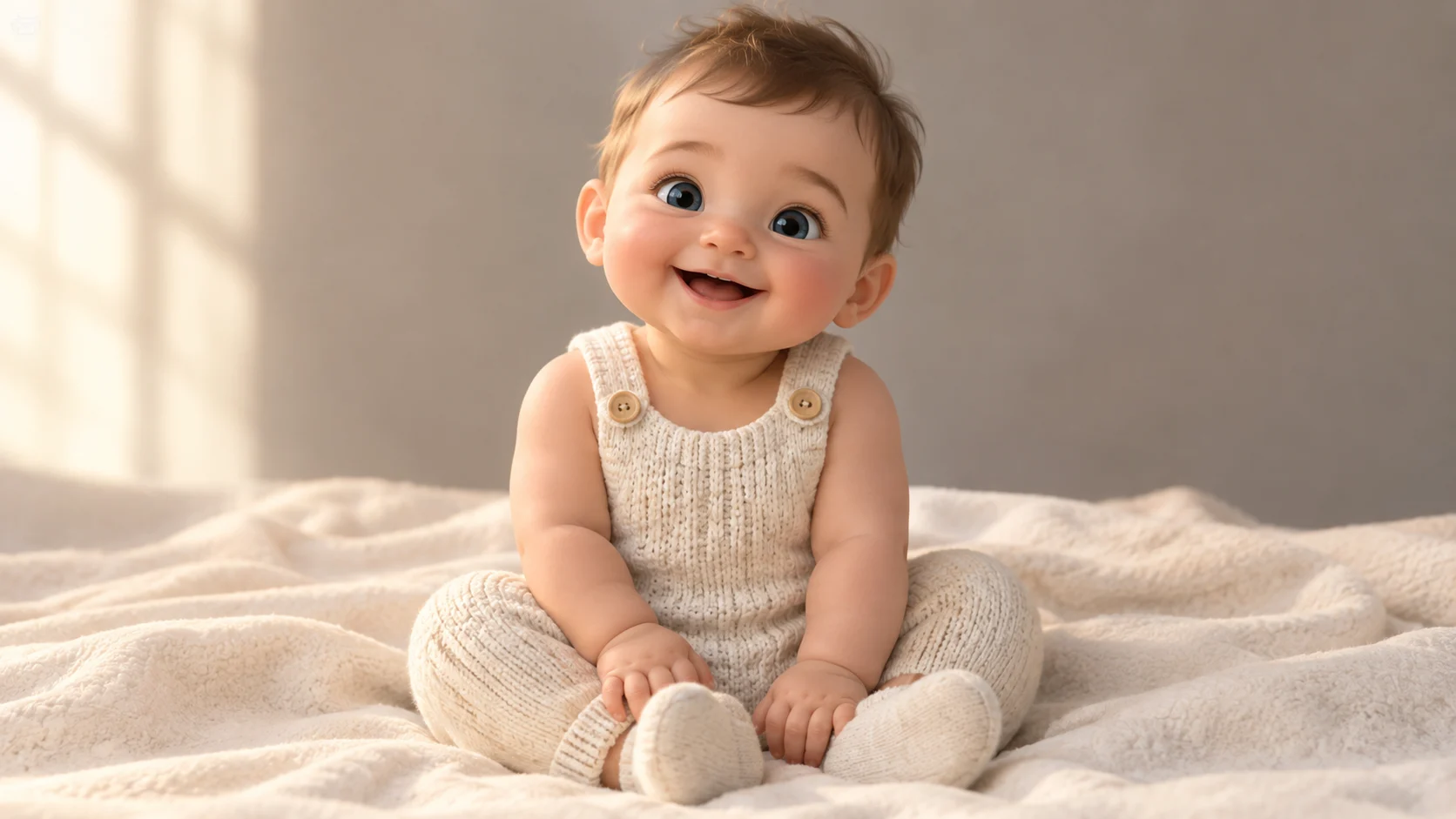
A cheerful six-month-old baby in a cream knit romper sits on a soft ivory blanket, clapping hands and smiling. Simple studio backdrop, soft window light from the left, 85mm portrait framing, shallow depth of field, realistic skin and fabric texture. One subject only, natural hands, no text, no logos, no watermark.
Keep the request wholesome. Do not ask for outfits, poses, or situations that sexualize a child or place a child in danger. The image model may refuse, and the request itself is not acceptable.
Studio themes that work well
| Theme | Prompt ingredients | Best for |
|---|---|---|
| Classic studio | Ivory backdrop, knit romper, soft window light | Newborn and six-month portraits |
| Floral | Pastel flowers, woven basket, warm afternoon light | Spring and Mother's Day |
| Birthday | One balloon, small cake, pastel backdrop | First birthday invitations |
| Halloween | Friendly pumpkin or ghost outfit, warm porch light | Seasonal cards; see the Halloween guide |
| Christmas | Knit outfit, tree corner, fairy lights | Holiday cards; see the Christmas guide |
| Milestone | Plain wall, measuring card, natural light | Monthly growth posts |
One theme per image. Stacking a birthday cake, a pumpkin, and a Christmas tree produces a cluttered result.
How much does it cost?
An image generation or edit is 80 credits. The studio prints the cost before submission, and credits are deducted only for the generation you confirm. There are no free credits; the one-time Try pack is $9.90 for 600 credits, which covers seven image generations at 80 credits each.
See the pricing page for the full pack ladder and the free vs paid guide for which browser tools are free.
Reviewing the result
Check these before you download or share:
- Face and hands. Count the fingers and check the eyes.
- Edges. Look at the blanket, the clothing, and the backdrop for melted or duplicated shapes.
- Text. The prompt asks for no text, but props sometimes produce letter-like shapes. Remove them or regenerate.
- Age consistency. A six-month prompt should not return a school-age child.
- Print size. Check the pixel dimensions before printing. A screen-sized image is not automatically a print-sized image.
If the result is close but not right, change one part of the prompt and regenerate. If the face is the problem, switch to editing mode with a clear reference photo.
Responsible use
- Do not present a generated baby as a real person.
- Do not use a real child's likeness without permission from the person responsible for the child.
- Do not use generated images in a way that suggests a real medical, adoption, or family situation.
- Review the platform terms before commercial use.
AI images are a design tool, not evidence. A portrait generated from a prompt is not a photograph of anyone.
Common questions
Do I need to upload a photo?
No for text-to-image. Yes for image-to-image editing. The editing mode needs an authorized reference photo and an instruction that says what should stay the same.
Can I generate a specific baby?
Only by editing a photo you have the right to use. Text-to-image generates a new subject; it cannot recreate a real child from a description alone.
How many images can I make?
The studio does not impose a separate image quota beyond your credit balance. Each generation costs 80 credits, and the cost is shown before submission.
Can I use the image commercially?
Review the generated file and the platform terms first. Do not imply that a generated baby is a real person, and do not use a real child's likeness without permission.
What resolution do I get?
The studio offers multiple image sizes and output formats. Check the downloaded file's pixel dimensions before printing; the on-screen preview is not a resolution guarantee.
Next step
Open the image studio and start with one studio prompt. If you want to edit a real photo, read the AI baby photo editor guide. For themed sets, use the AI baby photoshoot recipes.
![50+ Best AI Baby Dance Video Prompts That Actually Work [2026 Guide]](/imgs/blog/baby-dance-ai-prompts.webp)
![AI Baby Dance Video Generator: How to Make Your Baby Dance with AI [2026]](/imgs/blog/how-to-make-baby-dance-ai-video.webp)







