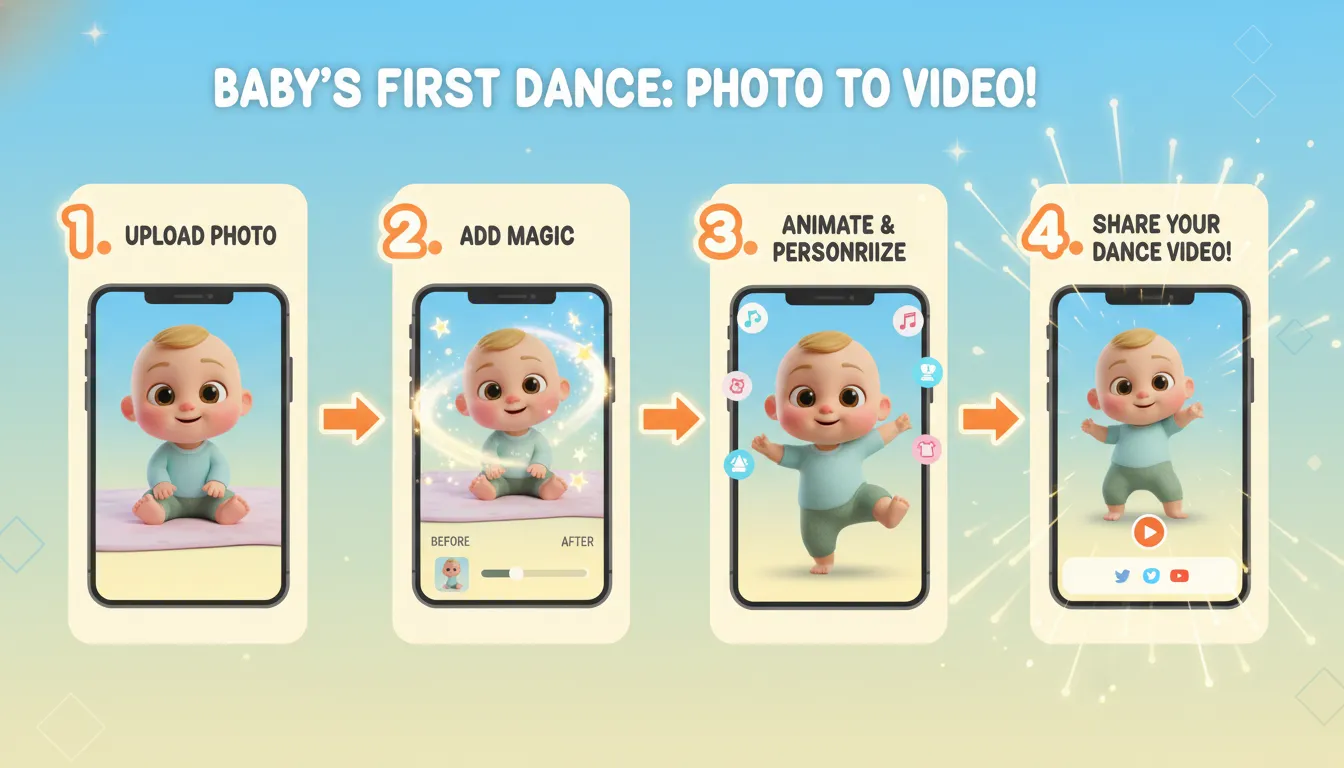
How to Create AI Dancing Baby Videos: Complete 2026 Guide
Want to create viral AI dancing baby videos that follow trending music on TikTok, Reels, and YouTube Shorts? In this comprehensive guide, we'll show you exactly how to create cute, realistic AI dancing babies using simple AI tools — no animation skills required.
What You'll Learn
- Create consistent AI baby characters
- Make babies dance perfectly to trending music
- Turn images into smooth dancing videos
- Sync movement with beats for viral results
- Export videos for TikTok, Reels, and YouTube Shorts
Who This Method Works For
This method is perfect for:
- ✅ Viral music trend creators
- ✅ Faceless content creators
- ✅ Kids & family content channels
- ✅ AI animation beginners
- ✅ Digital creators looking for fresh content ideas
Tools You'll Need
Here are the essential AI tools for creating baby dance videos:
1. ChatGPT (For Prompts & Character Consistency)
ChatGPT helps you craft detailed prompts that maintain character consistency across multiple images and videos.
2. Image Generation AI
Use tools like Midjourney, DALL-E, or Leonardo AI to create your baby character images.
3. Image-to-Video AI Tools
- Kling AI - Best for realistic baby dance animations
- Jimeng AI - Free alternative with good results
- Runway ML - Professional-grade video generation
4. Video Editor (CapCut)
For final music sync and video editing, CapCut is the go-to choice for most creators.
Step-by-Step Process
Step 1: Design Your Baby Character
First, create a consistent baby character using detailed prompts. Here's the workflow:
- Open ChatGPT and describe your ideal baby character
- Include specific details: skin tone, hair style, clothing, accessories
- Specify the art style (3D Pixar-style works best for cute results)
- Generate the prompt for image AI
Step 2: Generate Baby Images
Use your prompt in an image generation AI to create multiple poses of your baby character:
- Standing pose (neutral)
- Happy/smiling expression
- Arms up pose
- Side profile view
Pro Tip: Always use the same seed or reference the original image to maintain character consistency.
Step 3: Find a Trending Dance Video
Browse TikTok or Instagram for trending dance challenges. Look for:
- Clear, simple movements
- Good lighting
- Single person dancing
- Popular music trends
Step 4: Create the Animation
Upload your baby image to Kling AI or your preferred image-to-video tool:
- Upload the baby image as the main subject
- Upload the reference dance video for motion transfer
- Write a prompt describing the movement
- Generate the video (usually takes 2-5 minutes)
Step 5: Add Music and Final Touches
In CapCut:
- Import your generated video
- Add the trending music track
- Sync the beats with the dance movements
- Add any effects or filters
- Export in vertical format (9:16) for social media
Best Practices for Viral Success
Character Design Tips
- Use bright, vibrant colors for clothing
- Include cultural elements (Ankara fabric, traditional accessories)
- Keep the baby proportions realistic and cute
- Soft lighting creates a family-friendly aesthetic
Video Tips
- Keep videos short (15-30 seconds)
- Use trending music
- Post consistently
- Engage with comments
- Use relevant hashtags
Recommended Hashtags
#AIDancingBaby #AIBabyVideos #AIAnimation #AIVideoCreation #ViralAITools #MusicTrendVideos #TikTokTrends #YouTubeShorts #ReelsTrends #FacelessContent #AIContentCreator #AIForBeginners #KidsContent #DigitalCreator
Common Mistakes to Avoid
- Inconsistent characters - Always reference your original image
- Poor motion quality - Use high-quality reference videos
- Wrong aspect ratio - Always export in 9:16 for social media
- Missing music sync - Take time to align beats with movements
- Overcomplicated scenes - Simple backgrounds work best
Conclusion
Creating AI dancing baby videos is easier than ever with modern AI tools. By following this guide and practicing regularly, you can create viral content that entertains millions of viewers.
Start with simple dance moves, focus on character consistency, and gradually experiment with more complex animations. The key is to stay current with trending music and dance challenges.
Ready to create your first AI baby dance video? Try our Baby Dance AI Generator to get started in minutes!
This guide is based on techniques shared by successful creators in the AI content creation community.
🔗 Keep Dancing: More Baby Dance AI Videos
Love this baby dance video? Explore more adorable dance content:
- AI Baby Dance Music Selection: Best Songs & Audio Tips [2026]
- AI Baby Dance TikTok Trends 2025 — What's Going Viral Right Now
- AI Baby Dance Video Editing Tips: Pro-Level Results [2026]
- AI Baby Singing Video Generator: Create Music Videos [2026]
- Baby Dance AI Batch Creation: Make 100 Videos Per Day [2026]
- Baby Dance AI Complete 2026 Guide: Everything You Need to Know
👉 Browse all 📚 Guides & Tutorials on BabyDanceAI
🎬 Ready to create your own? Try BabyDanceAI →
![50+ Best AI Baby Dance Video Prompts That Actually Work [2026 Guide]](/imgs/blog/baby-dance-ai-prompts.webp)
![AI Baby Dance Video Generator: How to Make Your Baby Dance with AI [2026]](/imgs/blog/how-to-make-baby-dance-ai-video.webp)







