Quick answer
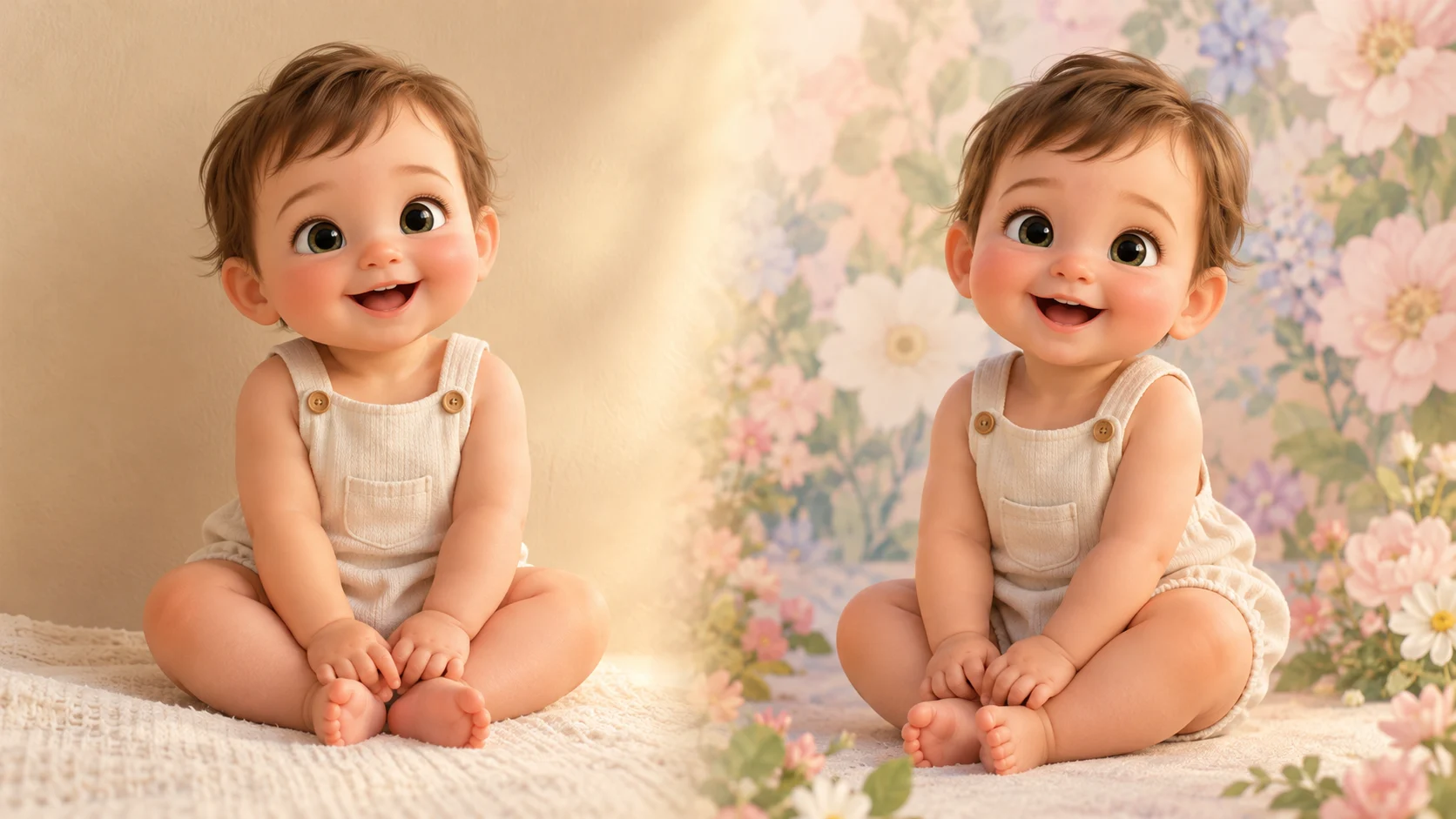
An AI baby photo editor changes one part of a photo while keeping the subject recognizable. On Baby Dance AI, the editing mode takes an authorized reference photo plus a text instruction. You can ask for a new background, a different outfit, a seasonal scene, or softer lighting. The model is instructed to preserve the face, skin tone, and body proportions.
The key to a usable edit is the same as the key to a good portrait: say what must stay the same as clearly as what should change. An edit is 80 credits, and the studio shows the cost before you submit.
What can you change?
| Edit | What to write | What to leave alone |
|---|---|---|
| Background | "Replace the background with a soft pastel studio" | Face, hair, outfit |
| Outfit | "Change the outfit to a cream knit romper" | Face, pose, background |
| Lighting | "Use warm window light from the left" | Face, outfit, background geometry |
| Season | "Place the subject in a cozy Christmas corner" | Face, pose, body proportions |
| Style | "Make it a clean editorial portrait" | Identity and age |
Change one thing at a time. A prompt that asks for a new background, a new outfit, a new pose, and a new lighting setup gives the model too many variables and increases the chance that the face drifts.
The four-part edit prompt
A reliable edit prompt has four parts:
- Preserve: "Preserve the baby's facial features, skin tone, age, and body proportions."
- Change: one clear edit.
- Context: the new setting or lighting, in one sentence.
- Guardrails: "One subject only, natural hands, no text, no logos, no watermark."
Example:
Preserve the baby's facial features, skin tone, age, and body proportions. Replace the background with a soft ivory studio backdrop and warm window light from the left. Keep the original pose and outfit. One subject only, natural hands, no text, no logos, no watermark.
If you want a new outfit, keep the background and pose. If you want a new scene, keep the outfit and pose. The more you leave alone, the more likely the face survives.
What makes a good reference photo?
- Front-facing. Both eyes visible, face not turned away.
- Sharp. No motion blur, no heavy compression.
- Simple background. Fewer edges to remove or replace.
- Natural light. Heavy filters flatten the face and confuse identity.
- Uncropped upper body. The model needs enough body to keep proportions consistent.
Avoid screenshots of screenshots, group photos, and images where a hand or a prop covers the face. Only upload a photo you have the right to use.
How much does an edit cost?
An image edit is 80 credits per generation. The studio shows the cost before submission, and credits are deducted only for the generation you confirm. There are no free credits; the one-time Try pack is $9.90 for 600 credits, which covers seven image generations.
If you are testing a look, generate one edit first. If the face holds, buy a larger pack and make the matching set. See the pricing page for the full ladder.
Edit vs. generate from scratch
| Edit a photo | Generate from text | |
|---|---|---|
| Input | An authorized photo + instruction | A written description |
| Subject | The baby in the photo | A new generated subject |
| Identity | The model tries to preserve it | No real identity |
| Best for | A specific child, a family card | Theme exploration, mood boards |
| Cost | 80 credits | 80 credits |
Use editing when the face matters. Use text-to-image when you are exploring a theme and do not need a specific child. The AI baby photo generator guide covers the text-to-image workflow, and the AI baby photoshoot page has themed recipes.
Five fixes when the edit goes wrong
- The face changed. Reduce the number of changes and repeat the preserve sentence at the start and end of the prompt.
- The outfit changed too. Say "keep the original outfit" explicitly.
- The background has artifacts. Use a simpler source background and describe fewer objects.
- The hands warped. Keep the hands out of frame in the source photo, or ask for a crop that excludes them.
- The result looks like a different age. Add "preserve the original age and body proportions" and avoid words like "newborn" if the photo shows an older baby.
If the edit still fails, the source photo may be the limiting factor. A clearer photo is often faster than a longer prompt.
Common questions
Does it keep the baby's face?
The prompt instructs the model to preserve identity, but no model guarantees a perfect likeness. Use a clear front-facing photo, keep the edit modest, and inspect the result before sharing.
Can I edit a photo I found online?
Only if you have the right to use it. Do not upload another family's photo or an unlicensed stock image. The responsibility for the source image stays with you.
What file should I upload?
A sharp JPEG or PNG with a visible face and a simple background works best. Avoid screenshots, heavy filters, and photos where the face is partly covered.
Can I make a matching set?
Yes. Reuse the same preserve sentence and change only the backdrop or outfit. Keep the lighting language identical so the images look like one session.
Can I use the result commercially?
Review the generated file and the platform terms before commercial use. Do not present a real child's likeness as something it is not, and do not use a photo without permission.
Next step
Open the image studio in editing mode, upload an authorized photo, and change one thing. For themed sets, read the AI baby photoshoot guide. For a generated portrait without a source photo, use the AI baby photo generator.
![50+ Best AI Baby Dance Video Prompts That Actually Work [2026 Guide]](/imgs/blog/baby-dance-ai-prompts.webp)
![AI Baby Dance Video Generator: How to Make Your Baby Dance with AI [2026]](/imgs/blog/how-to-make-baby-dance-ai-video.webp)







