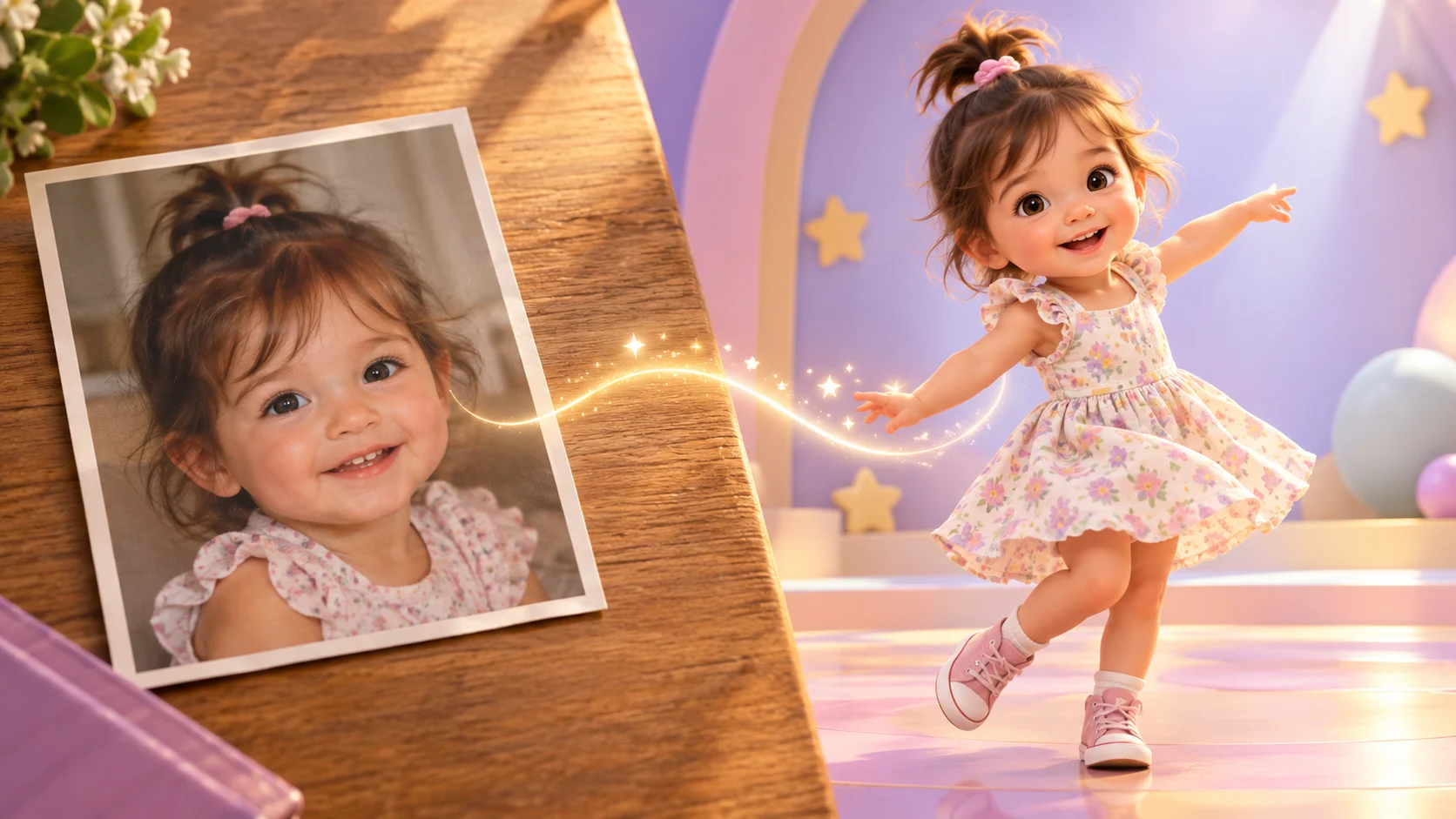
Quick answer
Photo to dance video is the simplest way to make a baby dance clip. You upload one authorized photo, choose image to video, and write a prompt that describes the dance, the setting, and the camera. The photo supplies the subject and the first frame; the prompt supplies the movement. The studio shows the credit cost before you submit, and the result is a short 5-second or 10-second clip you can download.
The hard part is not the button. It is choosing a photo that the model can work with and reviewing the first draft honestly. This page covers both.
What makes a good source photo?
A photo that works for image to video has five qualities:
| Quality | Why it matters |
|---|---|
| Front-facing | The model has a clear view of the face and both eyes |
| Sharp | Blur and compression artifacts are read as detail and get amplified |
| Upper body visible | Cropping at the waist gives the model less to work with |
| Simple background | Fewer objects means fewer warped edges |
| Natural light | Heavy filters flatten the face and confuse identity |
Avoid group photos, photos where a hand covers the face, screenshots of screenshots, and images where the face is smaller than a thumbnail. A clean phone portrait in daylight is usually better than a heavily edited studio shot.
Only upload a photo you have the right to use. If the photo shows a child, you also need the permission of the person responsible for that child before publishing the result.
The four-step workflow
1. Crop before you upload
Crop to the head and upper body. Leave a little space above the head and around the shoulders. A square or vertical crop gives the model a clear subject; a wide group shot gives it too many things to track.
2. Choose image to video
Open the dance studio and select image to video. The uploaded photo becomes the first frame. The prompt describes what happens next.
3. Describe one dance and one camera move
A reliable prompt has five parts:
- Subject: who is in the photo, with one identifying detail.
- Dance: one style, named plainly.
- Movement: gentle, medium, or energetic.
- Setting: keep the original background or describe a new one.
- Camera and format: vertical 9:16 or widescreen 16:9, plus one camera move.
Example:
The baby in the photo wears a cream knit romper and performs a gentle K-pop bounce in a cozy living room with afternoon light. Vertical 9:16 medium shot, subject centered, slow push-in. Preserve the face, skin tone, and body proportions. One subject only, natural hands and feet, no text, no logos, no watermark.
4. Generate a draft and inspect it
Watch the clip once at normal speed, then watch the last two seconds again. Identity drift shows up late. Check the hands, the feet, and the background edges. If the motion is too strong, shorten the movement sentence. If the framing is wrong, change only the camera sentence.
How much does it cost?
A standard 5-second image-to-video clip is 300 credits. A 10-second clip is 600 credits; with generated audio, the price doubles. The studio prints the cost of the selected mode and duration before you submit.
There are no free credits. The Try pack is $9.90 one-time for 600 credits, which covers two standard 5-second clips. Unused credits can be refunded within the posted refund window. See the pricing page for the full ladder and the free vs paid guide for what is free on the site.
Photo to dance video vs. text to dance video
| Photo to dance video | Text to dance video | |
|---|---|---|
| Input | One authorized photo + prompt | Prompt only |
| Subject | The person in the photo | A generated subject |
| Best for | A specific child or family member | Testing a concept or making a stylized character |
| Cost | Same per duration | Same per duration |
| Identity risk | Higher if the photo is unclear | No real identity to preserve |
If you do not have a usable photo, start with text to dance video. If you have a photo but the first draft drifts, improve the photo before you buy a larger pack.
Five fixes when the draft is wrong
- The face changed. Use a sharper, front-facing photo and reduce the amount of movement in the prompt.
- The hands warped. Shorten the clip to 5 seconds and keep the hands out of frame in the source photo.
- The background melted. Use a photo with a simpler background and describe fewer scene details.
- The dance is too fast. Replace "energetic" with "gentle" and remove any spin or jump.
- The output is cropped badly. State "vertical 9:16 medium shot, subject centered" and avoid describing a wide scene.
If none of these work, the photo may be the limiting factor. A different photo is often faster than a longer prompt.
Common questions
Can I use a photo of someone else's baby?
Only with permission from the person responsible for the child. Do not upload a photo from social media just because it is public. Publication rights and privacy are separate from access.
How long does generation take?
The studio runs jobs asynchronously and shows the task status. Processing time depends on the provider and the queue; this page does not promise a fixed render time. Keep the tab open or return to the task view to check the result.
Does the face stay the same?
The workflow is designed to preserve the subject, but no hosted video model guarantees an identical face in every frame. Generate one short draft, watch the final second, and only then spend more credits on a longer version.
Can I make a vertical TikTok version?
Yes. Choose 9:16 and describe a vertical medium shot. Keep the subject centered and leave room at the top and bottom for platform UI. The TikTok guide covers framing and loop-friendly settings.
What if I want the original background?
Say "preserve the original background" in the prompt and keep the photo's background simple. If you want a new scene, describe it in one sentence and avoid stacking props.
Next step
Open the image-to-video studio, upload a photo you have the right to use, and generate one 5-second draft. For prompt templates, use the prompt generator. For the mode comparison, read the AI dance video generator guide. After export, the AI dance video editor covers inspection and conversion.
![50+ Best AI Baby Dance Video Prompts That Actually Work [2026 Guide]](/imgs/blog/baby-dance-ai-prompts.webp)
![AI Baby Dance Video Generator: How to Make Your Baby Dance with AI [2026]](/imgs/blog/how-to-make-baby-dance-ai-video.webp)







