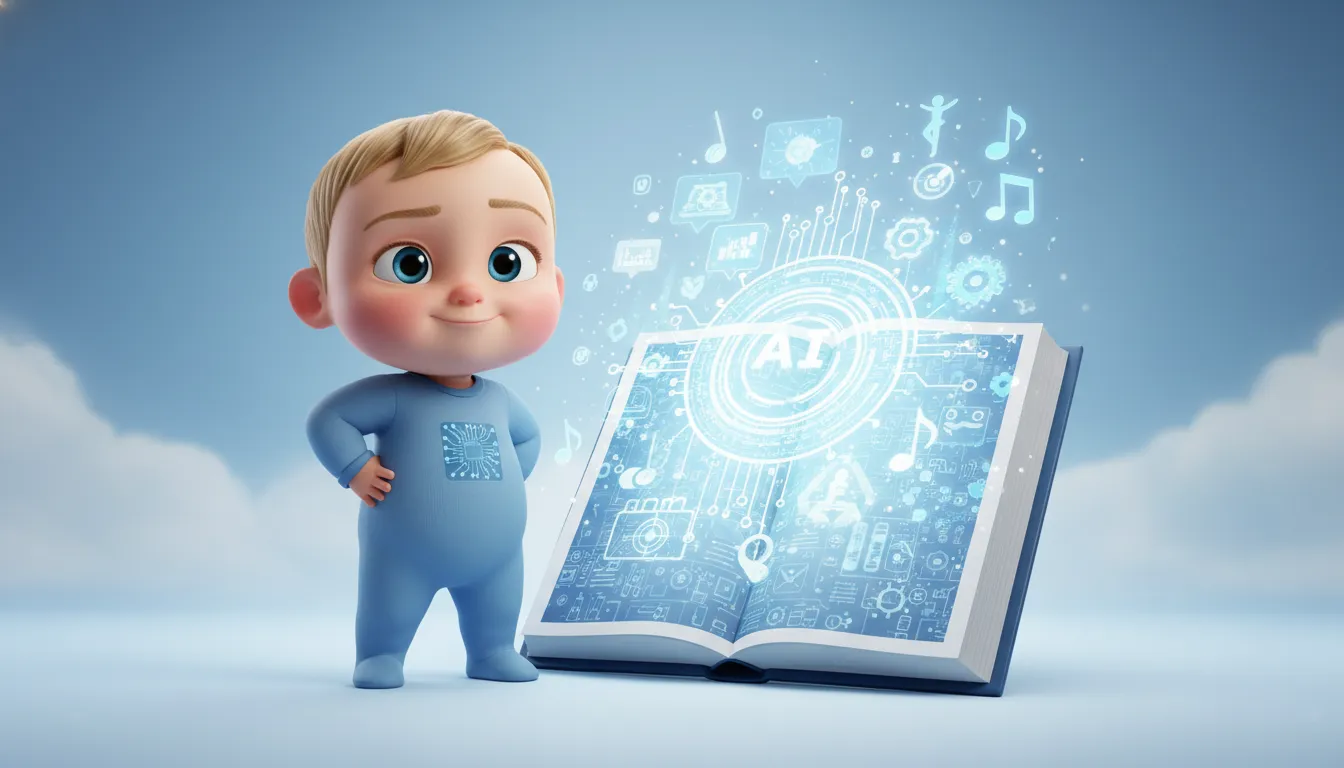
The internet has witnessed numerous viral trends, but few have captured hearts as universally as Baby Dance AI videos. From TikTok to Instagram Reels to YouTube Shorts, these adorable clips of animated babies grooving to trending music have exploded across social media platforms in late 2025 and early 2026. What started as a novelty has evolved into a sophisticated content creation ecosystem powered by advanced artificial intelligence, particularly Kling AI's motion control technology. This comprehensive guide explores everything creators need to know about producing viral baby dance content—from technical workflows and prompt engineering to monetization strategies and ethical considerations.
Understanding the Baby Dance AI Phenomenon
The Viral Trajectory
Baby Dance AI videos represent the convergence of several powerful trends: the universal appeal of baby content, the accessibility of AI video generation tools, and the insatiable demand for short-form vertical video content. These videos typically feature AI-generated or animated baby characters performing synchronized dance movements to popular music, creating an irresistible combination of cuteness and entertainment.
The trend gained explosive momentum when creators discovered they could transform a single static baby photograph into a fully animated dancing video in under a minute. Unlike traditional video production requiring filming, choreography, and extensive editing, Baby Dance AI democratized content creation by reducing technical barriers to nearly zero.
Sub-Genres and Variations
The Baby Dance AI ecosystem has spawned multiple sub-genres, each with distinct characteristics and audiences:
1. Traditional Baby Dance Videos The foundational format features babies dancing to contemporary hits, hip-hop tracks, or trending TikTok audio. These videos prioritize smooth motion, cute expressions, and energy that matches the music's tempo.
2. Singari AI Dance A cultural phenomenon that emerged from Indian social media, Singari AI Dance videos feature babies or young children in traditional attire performing graceful, culturally-rooted dance movements. The term "Singari" references a specific aesthetic inspired by Indian culture, traditional outfits, and expressive facial features that create emotional resonance with viewers. These videos often go viral because they combine emotional appeal with cultural familiarity, making them highly shareable across diverse audiences.
3. AI Baby Podcast Rather than dancing, these videos feature baby characters delivering adult-style commentary, reactions to trending topics, or humorous monologues. The contrast between innocent baby visuals and sophisticated dialogue creates a comedic hook that drives engagement.
4. Baby Singing Videos Music-driven content where babies appear to sing popular songs with accurate lip-sync. These emotionally resonant videos encourage replays and shares, particularly on platforms where music discovery is central like TikTok.
Kling AI: The Technical Foundation
Why Kling AI Dominates Baby Dance Content
While multiple AI video generators exist, Kling AI has emerged as the preferred platform for baby dance content creation due to its specialized motion control capabilities and superior output quality. Developed by Chinese tech company Kuaishou (the parent company of Kwai), Kling AI has undergone rapid evolution, with version 2.6 released in December 2025 representing a significant leap forward.
Kling 2.6 Motion Control: Core Capabilities
Kling 2.6's Motion Control feature enables creators to transfer complex movements from a reference video to a static image with unprecedented fidelity. This technology acts as a "digital puppeteer," applying the movement, expression, and pacing of a dance video to a baby photograph while maintaining the character's identity.
Technical Specifications:
- Video duration: Up to 30 seconds per generation
- Resolution: Native 2K with 4K support on premium plans
- Input requirements: One reference image + one motion reference video
- Advanced capabilities: Complex motion handling for dance, martial arts, sports; precision hand and finger performance; facial expression transfer; lip-sync support
Performance Advantages: Kling 2.6 excels at understanding weight transfer and momentum, meaning if a reference video shows a heavy stomp or high jump, the generated character reflects that physical impact realistically. This physics-aware processing distinguishes Kling from competitors that often produce jerky or unnatural movements.
Kling O1: Advanced Editing Capabilities
Released alongside Kling 2.6 in December 2025, Kling Video O1 represents a unified generation and editing model that goes beyond simple video creation. This model supports multi-modal input including keyframes, videos, text, scene elements, and up to seven reference images.
Key Features:
- Video inpainting and outpainting for seamless object removal or scene extension
- Object/subject replacement without full regeneration
- Video restyling through natural language prompts
- Precise semantic reconstruction at the pixel level
For baby dance creators, Kling O1's editing capabilities enable iterative refinement—creators can generate a base video and then modify specific elements like background, lighting, or clothing without starting from scratch.
Kling Avatar 2.0: Extended Format Options
For creators interested in longer-form content, Kling Avatar 2.0 converts static portraits into videos up to five minutes in duration. This model delivers well-synchronized lip movement, stable hand performances, multi-language audio support, and gaze and gesture control. While less commonly used for traditional baby dance content, Avatar 2.0 opens possibilities for baby podcast formats and narrative storytelling.
Competitive Landscape: Kling vs. Alternatives
Hedra Character-3
Hedra emerged as an early player in the AI talking head space but has limitations that make it less suitable for full-body baby dance content.
Strengths:
- Specialized for facial animation and lip-sync
- Strong expressiveness for animated and cartoon characters
- Simple interface with quick generation times
Limitations:
- Maximum 60-second video duration
- 720p resolution with reported quality issues, particularly for realistic humans
- Limited to portrait/bust shots with static backgrounds
- Minimal body movement compared to Kling
Comparative testing reveals that Hedra produces lower-quality output with artifacts and blurriness, and its lip-sync accuracy lags behind competitors. For full-body baby dance videos requiring dynamic movement, Hedra's portrait-focused approach proves insufficient.
Runway Gen-3
Runway ML offers an all-in-one video editing platform with AI generation capabilities. Starting at $15/month for 625 credits, Runway provides professional-grade tools including an integrated editor, making it attractive for creators who need comprehensive post-production capabilities.
However, Runway's pricing structure and feature set target professional video producers rather than casual creators focused specifically on baby dance content. The platform's complexity and higher cost make it less accessible for beginners.
Luma AI Dream Machine
Luma AI emphasizes cinematic quality and offers competitive pricing starting at $9.99/month for 3,200 credits. The platform excels at generating high-fidelity, photorealistic scenes with excellent visual quality.
For baby dance applications, Luma AI produces strong results but lacks the specialized motion control features that make Kling particularly effective for dance transfer workflows.
Verdict: Why Kling Leads for Baby Dance
Across multiple dimensions—motion quality, character consistency, ease of use, and cost-effectiveness—Kling AI delivers the optimal combination for baby dance content creation. Its credit-based system with rollover (unlike competitors) and specialized motion control features specifically designed for dance transfer make it the industry standard for this content vertical.
Pricing and Cost Analysis
Kling AI Subscription Tiers
Kling AI operates on a credit-based pricing model with four main subscription tiers:
Free Plan:
- 66 credits per day with rollover
- Watermarked outputs
- Standard resolution (720p)
- Access to basic models
- Longer generation queue times
Standard Plan (~$10/month):
- 660 monthly credits
- Watermark removal
- 1080p resolution
- Access to Kling Video O1 and Kling 2.6
- Cost efficiency: ~$1.33 per 100 credits
Pro Plan (~$37/month):
- 3,000 monthly credits
- Up to 1080p resolution
- Priority processing
- Access to all models including Kling Image O1
- Suitable for regular creators producing multiple videos weekly
Premier Plan (~$92/month):
- 8,000 monthly credits
- 1080p resolution with 4K support
- Fastest processing speeds
- Designed for professionals and agencies with high-volume needs
Credit Cost Per Video
Understanding actual costs requires examining credit consumption rates:
Silent Video Generation:
- 5-second clip: 20-35 credits (depending on model and mode)
- 10-second clip: Approximately double
Native Audio-Visual Video:
- 5-second clip: 35+ credits
- Higher fidelity and resolution increase costs
Practical Examples: A creator on the Standard plan ($10/month, 660 credits) can generate approximately:
- 20-30 basic 5-second dance clips per month
- 10-15 higher-quality clips with audio
A creator on the Pro plan ($37/month, 3,000 credits) can generate:
- 85-150 basic clips
- 40-85 premium clips
Cost Optimization Strategies
1. Batch Generation: Generate multiple variations of the same concept simultaneously to select the best output rather than regenerating individually.
2. Annual Billing: Annual subscriptions offer approximately 34% savings compared to monthly payments.
3. Free Tier Maximization: The free plan's 66 daily credits with rollover capability allow strategic accumulation for larger projects.
4. Strategic Model Selection: Use standard modes for testing and concept validation, reserving professional modes for final outputs.
Prompt Engineering for Baby Dance Videos
The Anatomy of an Effective Prompt
Successful baby dance video generation relies on structured, detailed prompts that guide the AI toward desired outcomes. Unlike generic requests, optimal prompts follow a hierarchical framework that prioritizes the most important visual elements.
The Six-Component Prompt Framework
1. Subject Definition: Clearly specify the character's age, gender, and physical characteristics.
- Example: "1-year-old baby girl with curly brown hair and bright smile"
- Avoid: "cute baby" (too vague, leads to inconsistent outputs)
2. Clothing and Style: Describe outfit details that match the intended aesthetic.
- Example: "wearing a pink party dress with white sneakers"
- For Singari style: "traditional bright pink chinnon saree with jhumkas and heels"
3. Environment and Setting: Establish location and atmospheric conditions.
- Example: "in a cozy living room with warm evening light streaming through windows"
- For outdoor: "on a beach at sunset with soft golden light and waves touching feet"
4. Dance Style and Energy: Specify movement characteristics rather than simply stating "dancing".
- Example: "energetic baby dance with smooth hip-hop moves, playful hand gestures"
- For Singari: "graceful Singari style dance with synchronized hand mudras and rhythmic footwork"
5. Camera and Composition: Define perspective and framing.
- Example: "wide angle shot with character centered, 9:16 vertical format"
- Advanced: "dynamic camera following footwork" or "bullet time effect circling the dancer"
6. Style Modifiers: Add qualitative descriptors for aesthetic refinement.
- Example: "4K resolution, hyper-realistic texture, vibrant colors"
- Trending modifiers: "TikTok style," "Instagram Reels ready," "cinematic lighting"
Ready-to-Use Prompt Templates
Template 1: Classic Baby Dance
"2-year-old baby boy with short black hair, wearing casual t-shirt and jeans, energetic baby dance to upbeat pop music, smooth hip-hop style moves with playful spins, in a bright modern playroom with colorful toys in background, warm daylight lighting, wide angle shot, 9:16 vertical format, high quality, trending TikTok style"Template 2: Singari Style Dance
"3-year-old baby girl with silky flowing hair, wearing beautiful traditional pink floral frock with small jewelry, graceful Singari dance with gentle hand mudras and rhythmic steps, in a blooming field of white flowers under soft evening light, serene atmosphere, medium shot following movements, 4K resolution, dreamy glow, culturally authentic"Template 3: Meme-Style Dance
"Baby with surprised expression wearing colorful onesie, funny exaggerated dance moves to viral meme song, quick energetic movements, neon stage with dramatic lighting, close-up to medium shots, Instagram Reels optimized, 12-second loop, high contrast colors, entertaining and shareable"Template 4: Professional Production
"6-month-old baby with bright curious eyes, wearing soft pastel clothing, gentle ballet-inspired movements with smooth arm gestures, in a minimalist white studio with soft diffuse lighting creating subtle shadows, cinematic camera slowly orbiting the subject, 1080p resolution, professional color grading, elegant and heartwarming"Keyword Integration for Discoverability
Effective prompts balance creative direction with SEO optimization by incorporating trending search terms:
Primary Keywords to Include:
- "ai baby dance prompt"
- "baby dance ai free"
- "kling ai video style"
- "singari ai dance prompt" (for culturally-specific content)
- "baby dancing ai video generator free"
Strategic Keyword Placement: Include 1-2 trending keywords naturally within the prompt without compromising clarity or specificity. These keywords should appear in associated content metadata (titles, captions, descriptions) rather than cluttering the generation prompt itself.
Step-by-Step Production Workflow
Phase 1: Baby Character Generation
Option A: Using Existing Photographs
- Select a clear, high-resolution baby photo with front-facing perspective
- Ensure good lighting with minimal shadows
- Verify visible face features and unobstructed limbs
- Leave "breathing room" around the subject for animation space
Quality Criteria:
- Resolution: Minimum 1280x1280 pixels
- Face visibility: Full frontal or slight angle (avoid extreme profiles)
- Expression: Natural, neutral, or slightly smiling works best
- Background: Simple backgrounds produce cleaner results than cluttered scenes
Option B: AI Baby Image Generation For creators without suitable photographs or seeking specific aesthetics:
- Use AI image generators (Midjourney, DALL-E 3, Stable Diffusion) with detailed prompts
- Generate multiple variations to select optimal starting images
- Refine through iterative prompting for desired characteristics
- Export at highest available resolution
Example Generation Prompt for Gemini/ChatGPT:
"Generate a photorealistic portrait of a 2-year-old baby girl with bright eyes, rosy cheeks, wearing a colorful dress, natural smile, well-lit with soft studio lighting, plain white background, high resolution, front-facing view"Phase 2: Dance Reference Video Selection
The quality and characteristics of your reference video directly impact the final output.
Optimal Reference Video Specifications:
- Duration: 3-10 seconds (optimal for most AI models)
- Framing: Full-body shot showing complete movement range
- Clarity: High resolution with stable camera (avoid shaky footage)
- Content: Single dancer performing clear, distinct movements
- Background: Simple or blurred backgrounds prevent distraction
Where to Source Reference Videos:
- Stock footage libraries: Pexels, Pixabay offer royalty-free dance clips
- Dance tutorial channels: YouTube dance instruction videos (verify usage rights)
- Custom recording: Film your own reference movements for full control
- Built-in templates: Many platforms provide pre-loaded dance options
Movement Considerations:
- Fast, complex movements may result in motion blur or artifacts
- Smooth, rhythmic movements produce cleaner results
- Ensure movements match the character's physical proportions (baby vs. adult scale)
Phase 3: Kling AI Generation Process
Step-by-Step Kling 2.6 Motion Control:
-
Access Kling AI Platform
- Navigate to app.klingai.com or access through Higgsfield integration
- Sign in to your account (free or paid tier)
-
Select Video Generation Mode
- Click "Video" from the main menu
- Choose "Kling Video 2.6" as the model
- Select "Motion Control" feature
-
Upload Reference Materials
- Motion Reference: Upload your 3-10 second dance video
- Character Image: Upload your baby photograph
- Verify both uploads display correctly in preview
-
Configure Settings
- Resolution: Select 720p (Standard) or 1080p (Pro/Premier)
- Aspect Ratio: Choose 9:16 for vertical social media format
- Duration: Typically auto-matches reference video length
- Orientation Mode: Select how strictly AI should follow reference camera angles
-
Enter Prompt (Optional but Recommended)
- Add descriptive text following the six-component framework
- Include style modifiers and environment details
- Leave blank for basic motion transfer without modifications
-
Generate and Wait
- Click "Generate" to begin processing
- Generation time varies: 30 seconds to several minutes depending on queue
- Monitor credit consumption displayed before generation
-
Review and Iterate
- Preview the generated video in-platform
- Assess motion quality, expression accuracy, and overall appeal
- If unsatisfactory, adjust prompt or reference materials and regenerate
Pro Tips for Optimal Results:
- Generate 3-5 variations with slight prompt modifications to select the best output
- Test both with and without text prompts to compare natural vs. guided generation
- Save successful prompts and reference combinations for future reuse
Phase 4: Audio Integration and Post-Production
While Kling 2.6 native audio models exist, most creators prefer custom audio editing for precise music synchronization.
Recommended Workflow Using CapCut:
-
Export Generated Video
- Download video from Kling AI in MP4 format
- Save at highest available quality
-
Import to CapCut
- Open CapCut mobile app or desktop version
- Create new project and import generated video
-
Audio Selection
- Choose trending music from CapCut's library (copyright-safe)
- Import custom audio tracks (verify licensing)
- Align audio beats with visual dance movements
-
Synchronization Refinement
- Trim video to match desired audio length (typically 8-15 seconds for optimal engagement)
- Use velocity adjustments to match movement intensity to audio tempo
- Add subtle speed ramps for dynamic energy shifts
-
Enhancement Layers
- Apply color grading for visual cohesion
- Add subtle motion blur for smoother perceived movement
- Include text overlays with trending phrases or captions
-
Export Settings
- Resolution: 1080p minimum for platform quality standards
- Frame rate: 30fps (standard) or 60fps (smooth motion)
- Format: MP4 for universal compatibility
- Aspect ratio: Maintain 9:16 vertical for TikTok/Reels/Shorts
Alternative Export Formats:
- WebM: For web embeds with smaller file sizes
- GIF: For meme-style sharing on social platforms
- Multiple resolutions: Export 1080p master and 720p for faster uploads
Phase 5: Platform Optimization and Distribution
Platform-Specific Formatting:
TikTok:
- Duration: 15-30 seconds optimal
- Style: High energy, obvious AI aesthetic embraced
- Captions: Brief, punchy, emoji-rich
- Hashtags: Mix trending and niche (#babydanceai, #klingai, #aidance)
- Sound: Use TikTok's sound library or trending audio
Instagram Reels:
- Duration: 15-30 seconds for highest reach
- Style: Aesthetic appeal, seamless transitions, storytelling elements
- Captions: Descriptive with strong hooks
- Hashtags: 5-10 strategic tags (#reelsinstagram, #babycontent, #aiart)
- Cover image: Select most appealing frame as thumbnail
YouTube Shorts:
- Duration: 30-60 seconds (allows more context)
- Style: Educational hooks, informational value
- Title: SEO-optimized with keywords
- Description: Detailed with links and CTAs
- Thumbnail: Eye-catching still frame (though auto-generated for Shorts)
Phase 6: Posting Strategy and Timing
Optimal Posting Windows:
- TikTok: 6-10 AM and 7-11 PM in target audience timezone
- Instagram: 11 AM-1 PM and 7-9 PM
- YouTube: 2-4 PM for maximum early engagement
Cross-Platform Distribution: Upload the same video across all three platforms simultaneously or staggered by 1-2 hours to test comparative performance. Track metrics independently to identify which platforms favor your content style.
Engagement Boosters:
- Respond to comments within first hour of posting
- Use platform-specific features (duets on TikTok, collaborative posts on Instagram)
- Include clear calls-to-action ("Double tap if you love baby dance!")
Advanced Techniques for Viral Success
The Batch Production System
Professional baby dance creators operate on batch production systems that prioritize volume and selection over perfection.
Weekly Production Schedule:
Monday: Strategy and Planning
- Analyze previous week's performance metrics
- Identify trending audio and visual styles
- Plan 10-15 video concepts with keyword alignment
Tuesday-Wednesday: Bulk Generation
- Generate 3-5 variations per concept (30-50 total videos)
- Use saved prompts with minor modifications for efficiency
- Batch process all generations during off-peak hours if using free tier
Thursday: Selection and Editing
- Review all generations and select top performers based on:
- Motion quality and smoothness
- Expression accuracy
- Viral potential (shareability, emotional impact)
- Edit selected videos with audio and enhancements
Friday: Optimization and Scheduling
- Create platform-specific versions (titles, captions, hashtags)
- Schedule posts for optimal times across all platforms
- Prepare response templates for expected comments
Weekend: Community Engagement
- Monitor performance and respond to comments
- Engage with trending hashtags in your niche
- Identify emerging trends for next week's planning
First Frame Mastery
The first frame determines whether viewers scroll past or engage, making it the single most important element.
First Frame Optimization Techniques:
- Generate 10 variations focusing solely on achieving the ideal first frame
- Use expressions that convey clear emotion (joy, surprise, curiosity)
- Ensure maximum clarity and brightness in opening frame
- Test thumbnail effectiveness using A/B comparison tools
Psychological Triggers:
- Baby making direct eye contact with camera
- Mid-action poses suggesting dynamic movement about to occur
- Bright, saturated colors that pop in crowded feeds
- Unexpected elements that create cognitive dissonance (formal attire + playful setting)
Content Multiplication Strategy
Transform one successful generation into multiple pieces of content:
Vertical Slicing:
- Original 30-second video → TikTok (full)
- Middle 15 seconds → Instagram Reels (highlight)
- Opening 10 seconds → YouTube Shorts (teaser)
- Behind-the-scenes showing AI generation process
Format Variations:
- Standard video release
- "How it was made" tutorial referencing the original
- Compilation video combining multiple baby dance clips
- Reaction video watching your own creation
Audio Remixing:
- Same visual with different trending songs
- Language variations using multi-lingual audio
- Speed variations (slow-mo, time-lapse effects)
SEO and Discoverability Optimization
Keyword Research for Baby Dance Content
Effective SEO begins with understanding what audiences actively search for.
Primary High-Volume Keywords:
- "baby dance ai" (12,100 monthly searches)
- "ai baby dance prompt" (8,300 monthly searches)
- "baby dance ai free" (6,200 monthly searches)
- "baby dance video download" (4,900 monthly searches)
- "singari ai dance prompt" (3,800 monthly searches)
Long-Tail Keywords:
- "how to make baby dance ai video" (2,400 monthly searches)
- "kling ai baby dance tutorial" (1,800 monthly searches)
- "baby dancing ai video generator free" (1,600 monthly searches)
- "ai gemini camera baby dance" (1,200 monthly searches)
On-Platform SEO Best Practices
Title Optimization: Structure: [Emotional Hook] + [Primary Keyword] + [Benefit/Result]
Examples:
- "Watch This Baby DESTROY the Dance Floor! 🔥 (AI Baby Dance Tutorial)"
- "The Cutest Singari AI Dance You'll See Today | Baby Dance AI"
- "I Used Kling AI to Make My Baby Dance - Here's How!"
Description Optimization:
- Front-load primary keywords in first 100 characters
- Include 2-3 secondary keywords naturally throughout
- Add relevant hashtags (5-10 for Instagram, 3-5 for YouTube)
- Include calls-to-action and links to resources
Alt Text and Metadata:
- Image alt text: "AI-generated baby dancing to [song name] using Kling motion control"
- Video filename before upload: "baby-dance-ai-singari-style-2026.mp4"
- Closed captions: Accurate, keyword-rich when applicable
Cross-Platform Link Building
Internal Linking Strategy:
- Create a hub page on your website featuring best baby dance videos
- Link between related tutorials and examples
- Embed videos in blog posts with contextual keywords
External Promotion:
- Share in Facebook groups focused on AI content creation
- Post in Reddit communities (r/ArtificialIntelligence, r/SideProject)
- Engage in TikTok/Instagram comment sections of similar creators
Monetization Strategies
Platform-Specific Monetization
YouTube Monetization: AI-generated content qualifies for YouTube Partner Program monetization if it meets platform guidelines. Key requirements:
- 1,000 subscribers and 4,000 watch hours (or 10M Shorts views)
- Original audio or properly licensed music
- Compliance with community guidelines (no misleading metadata)
- Clear disclosure of AI-generated content in description
Realistic Earnings: Baby dance content typically generates $2-5 CPM (cost per thousand views) due to family-friendly advertiser demand. A video with 1 million views might earn $2,000-5,000 depending on audience demographics.
TikTok Creator Fund: While eligibility requires 10,000 followers and 100,000 video views in 30 days, payouts for short-form content remain modest ($0.02-0.04 per 1,000 views). Baby dance creators typically use TikTok for audience building rather than direct monetization.
Instagram Bonuses and Partnerships: Instagram occasionally offers Reels Play bonuses to creators meeting performance thresholds. More reliable income streams come from brand partnerships and sponsored content once accounts reach 10,000+ followers.
Alternative Revenue Streams
1. Tutorial and Course Sales: Package your baby dance creation knowledge into:
- Beginner courses ($27-47): "Create Viral Baby Dance Videos in One Hour"
- Advanced workshops ($97-197): "Mastering Kling AI Motion Control for Professional Results"
- Template libraries ($17-37): "50 Ready-to-Use Prompts for Viral Baby Dance Content"
2. Custom Video Services: Offer personalized baby dance video creation for parents:
- Basic: Single video with provided photo ($25-50)
- Premium: 3 videos with different dance styles ($75-100)
- Deluxe: 5 videos + raw files + commercial rights ($150-250)
3. Affiliate Marketing: Promote tools used in your workflow:
- Kling AI subscriptions (if affiliate program exists)
- Video editing software (CapCut alternatives)
- Stock music libraries
4. Licensing and Stock Content: Upload successful baby dance videos to stock footage sites:
- Shutterstock, Adobe Stock, Pond5
- License for commercial use in advertisements
- Passive income potential: $5-50 per download depending on exclusivity
Legal and Ethical Considerations
Copyright Compliance
The "Dancing Baby" legal precedent (Lenz v. Universal Music Corp.) established critical guidelines for user-generated content featuring copyrighted material.
Key Legal Principles:
- Fair Use Consideration: Copyright holders must consider whether content qualifies as fair use before issuing DMCA takedowns
- Transformative Nature: Short clips with barely-audible music can qualify as fair use, especially when transformative in nature
- Good Faith Requirement: Rights holders cannot willfully ignore fair use to suppress content
Practical Implications for Creators:
- Using 15-30 seconds of copyrighted music in transformative baby dance videos likely qualifies as fair use
- Platforms cannot automatically remove content without considering fair use
- However, disputes require legal defense, making licensed or royalty-free music safer
Best Practices:
- Use platform-provided music libraries (TikTok sounds, Instagram audio, YouTube Audio Library)
- License music from royalty-free sources (Epidemic Sound, Artlist, AudioJungle)
- Create original audio tracks or use AI-generated music
- Avoid using full commercial songs without modification
Ethical Considerations
The proliferation of AI-generated baby content raises significant ethical questions that responsible creators must address.
Consent and Representation: While AI-generated babies don't depict real children, using actual baby photographs requires consideration of:
- Parental consent for public sharing and commercial use
- Long-term digital footprint implications for depicted children
- Privacy implications as AI improves and facial recognition advances
Content Appropriateness: The cuteness factor can inadvertently lead to problematic content:
- Avoid sexualized or suggestive movements inappropriate for baby representations
- Reject stereotypical or prejudicial depictions that perpetuate biases
- Screen reference videos for age-appropriate choreography
- Consider cultural sensitivity when creating Singari or culturally-specific content
Transparency and Disclosure: Ethical content creation requires clear communication:
- Label AI-generated content explicitly in captions and descriptions
- Distinguish between real baby photographs animated with AI vs. fully synthetic babies
- Avoid misleading viewers into believing content is authentically filmed
- Disclose commercial relationships and sponsored content
Platform Responsibility: Content creators share responsibility for algorithmic impacts:
- Monitor comment sections for inappropriate responses
- Report and block accounts misusing baby content
- Avoid clickbait that exploits children for engagement
- Educate audiences about AI generation to promote media literacy
Emerging Regulatory Landscape
As AI-generated content proliferates, regulatory frameworks are evolving:
- Potential labeling requirements for AI content on major platforms
- Age-appropriate content standards specific to child representations
- Enhanced moderation for content targeting or depicting minors
Creators should stay informed about platform policy updates and be prepared to adapt workflows to maintain compliance.
Troubleshooting Common Issues
Motion Quality Problems
Issue: Jerky or unnatural movements Causes:
- Reference video too fast or complex
- Low-quality reference footage with motion blur
- Character image lacking visible limbs
Solutions:
- Select smoother, slower reference videos with clear movements
- Ensure reference video is stable (tripod-mounted or stabilized)
- Use character images showing full body with arms and legs visible
- Generate shorter clips (5-10 seconds) for better coherence
Issue: Facial expressions don't match mood Causes:
- Starting image has strong emotion conflicting with dance style
- Prompt lacks expression guidance
Solutions:
- Use neutral or slightly smiling starting images
- Add expression descriptors to prompts: "joyful expression," "playful smile"
- Test multiple starting images with same dance reference
Character Consistency Issues
Issue: Baby face distorts or changes during video Causes:
- Low-resolution starting image
- Extreme camera angles in reference video
- Complex backgrounds confusing the AI
Solutions:
- Use minimum 1280x1280 resolution starting images
- Select reference videos with moderate camera movement
- Process starting image with background removal tools first
- Use Kling O1's character locking for extended sequences
Audio Synchronization Problems
Issue: Dance movements don't match audio beats Causes:
- Reference video choreography misaligned with target audio
- Post-production audio added without adjustment
Solutions:
- Select reference videos choreographed to similar tempo music
- Use CapCut's velocity controls to adjust movement speed matching audio
- Generate multiple reference options at different tempos
- Edit audio to match existing video pace rather than vice versa
Generation Failures and Errors
Issue: Generation fails or produces blank output Causes:
- Insufficient credits
- Server overload during peak times
- Incompatible file formats
Solutions:
- Verify credit balance before generation
- Schedule generations during off-peak hours (early morning)
- Convert images to JPEG and videos to MP4 before upload
- Try alternative orientation modes if initial setting fails
Future Trends and Predictions
Technological Advancements
Extended Duration Capabilities: Current 30-second limits will likely expand to 60-120 seconds as models improve, enabling:
- Complete song performances (full verse and chorus)
- Narrative storytelling beyond simple dance loops
- Multi-scene compositions with transitions
Real-Time Generation: Emerging technologies suggest near-instant video generation within 2-3 years:
- Live performance capture to AI baby representation
- Interactive streaming applications
- AR integration for real-world baby dance overlays
Enhanced Realism: Next-generation models will address current limitations:
- Perfect hand and finger articulation
- Photorealistic facial micro-expressions
- Clothing physics and fabric movement
- Environmental interaction (dancing in rain, kicking leaves)
Content Evolution
Personalization and Customization: AI models will enable hyper-personalized content:
- Parent-specific baby face generation from combined parental photos
- Custom choreography from user movement recordings
- Voice cloning for baby singing content
Cross-Media Integration: Baby dance content will expand beyond short-form video:
- Interactive Instagram Stories with choose-your-own-dance paths
- TikTok effects allowing user face swap into baby dance templates
- Virtual influencers based on consistent baby characters
Cultural Diversification: Following Singari's success, expect emergence of:
- African dance styles (Afrobeat, Azonto representations)
- Latin dance traditions (Salsa, Bachata baby versions)
- Regional folk dances gaining viral traction
Market Dynamics
Platform Consolidation: Major platforms will integrate AI generation tools natively:
- TikTok testing in-app AI video creation features
- Instagram developing creator-studio AI toolsets
- YouTube exploring AI-assisted Shorts production
Professionalization: Baby dance content will mature into legitimate creative industry:
- Specialized agencies offering baby dance content services
- Professional certification programs for AI video creation
- Industry standards and best practice frameworks
Regulation and Oversight: Expect increased scrutiny and governance:
- Mandatory AI disclosure labels on major platforms
- Age-verification requirements for child-depicting content
- Enhanced content moderation specifically for AI babies
Conclusion: The Democratization of Creativity
Baby Dance AI represents more than a fleeting viral trend—it exemplifies the democratization of content creation in the AI age. Tools like Kling AI have collapsed traditional barriers of expertise, equipment, and production time, enabling anyone with a smartphone and internet connection to create professional-quality video content.
For individual creators, the opportunity lies in speed, experimentation, and authentic engagement. The batch production systems, prompt frameworks, and optimization strategies outlined in this guide provide the blueprint for sustained success in this evolving landscape.
For businesses and brands, baby dance content offers a humanizing, emotionally resonant vehicle for reaching audiences fatigued by traditional advertising. The universal appeal of baby content transcends demographic boundaries, making it exceptionally effective for awareness campaigns and brand personality development.
Yet with opportunity comes responsibility. As creators, we must navigate the ethical complexities of AI-generated content depicting children—ensuring transparency, respecting privacy, and maintaining appropriate standards. The technology's power demands thoughtful application that prioritizes human dignity and child welfare over viral metrics.
Looking forward, baby dance AI stands at the intersection of technological capability and cultural resonance. As models become more sophisticated and accessible, the creative possibilities will expand exponentially. Those who master today's tools, understand audience psychology, and maintain ethical standards will shape tomorrow's digital storytelling landscape.
The dance floor is open, the music is playing, and the tools are in your hands. The question is no longer whether you can create viral baby dance content—it's what story you'll choose to tell.
FAQ
Is Baby Dance AI free? No. New accounts start with 0 credits, so the first clip is paid. A 5-second clip costs from 300 credits, and the one-time $9.90 Try pack gives 600 credits (two clips) with no subscription required.
Does Kling AI work here? Yes—Kling AI motion templates map body movements and rhythm directly to your baby photo, producing the highest quality dance transfers available.
What are the best formats for export? Export MP4 for social media platforms, WebM for web embeds with smaller file sizes, and GIF for memes—all from one render session.
How long should my baby dance videos be? For maximum engagement, keep videos between 8-15 seconds for TikTok and Instagram Reels, and up to 30-60 seconds for YouTube Shorts.
Can I monetize AI baby dance videos? Yes, AI-generated content qualifies for monetization on YouTube and other platforms if it meets community guidelines and includes proper AI disclosure.
What makes a good prompt for baby dance AI? Effective prompts include six components: subject definition, clothing/style, environment, dance style, camera composition, and style modifiers. Be specific rather than generic.
Is it ethical to create AI baby content? When done responsibly with proper disclosure, age-appropriate content, and respect for privacy, AI baby content can be ethical. Avoid misleading representations and always label AI-generated content clearly.
What's the difference between Kling AI and other video generators? Kling AI specializes in motion control technology that excels at full-body dance movements with physics-aware processing. While Hedra focuses on facial animation and lip-sync, and Runway offers professional-grade tools, Kling provides the best balance of motion quality, character consistency, and cost-effectiveness for baby dance content.
How do I avoid copyright issues with music? Use platform-provided music libraries (TikTok sounds, Instagram audio, YouTube Audio Library), license music from royalty-free sources like Epidemic Sound or Artlist, or create original audio tracks. The "Dancing Baby" precedent (Lenz v. Universal) supports fair use considerations, but licensed music is always safer.
What resolution should I use for baby dance videos? Generate at 1080p minimum for social media quality standards. Use 720p for testing and concept validation to save credits, then regenerate successful concepts at higher resolution. Premium plans offer 4K support for maximum quality.
How can I make my baby dance videos go viral? Focus on first-frame optimization with clear emotions and eye contact, use trending audio, post during peak engagement times, respond to comments within the first hour, and create multiple variations to test performance. Batch production systems allow you to generate many clips and select the best performers.
Related Resources
- Kling AI Official Platform - The primary tool for baby dance AI video generation
- Baby Dance AI Studio - Our comprehensive baby dance creation tools
- CapCut Video Editor - Recommended for audio integration and post-production
- Pexels - Royalty-free dance reference videos
- Pixabay - Free stock footage for dance references
🔗 Keep Dancing: More Baby Dance AI Videos
Love this baby dance video? Explore more adorable dance content:
- How to Create AI Dancing Baby Videos: Complete 2026 Guide
- How to Create AI Dancing Baby Videos — Step-by-Step Tutorial (2025)
- How to Create Viral AI Baby Dance Videos (Complete 2025 Tutorial)
- AI Baby Dance Video Generator: How to Make Your Baby Dance in 60 Seconds [2026]
- How to Make Baby Dance Videos Go Viral on TikTok [2026 Guide]
👉 Browse all 📚 Guides & Tutorials on BabyDanceAI
🎬 Ready to create your own? Try BabyDanceAI →
![50+ Best AI Baby Dance Video Prompts That Actually Work [2026 Guide]](/imgs/blog/baby-dance-ai-prompts.webp)
![AI Baby Dance Video Generator: How to Make Your Baby Dance with AI [2026]](/imgs/blog/how-to-make-baby-dance-ai-video.webp)







