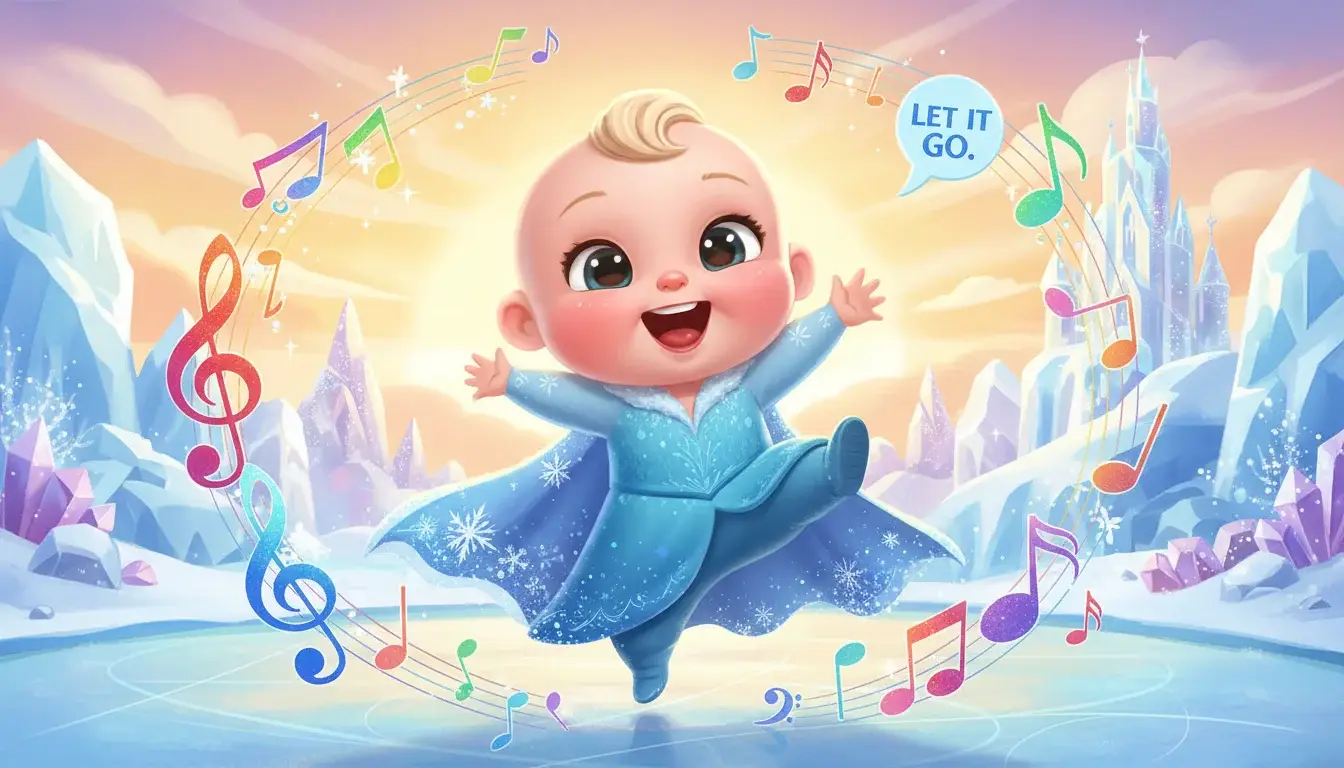
"Let It Go" by Idina Menzel, released as part of Disney's "Frozen" soundtrack in 2013, won the Academy Award for Best Original Song and became a defining anthem for an entire generation of children. Written by Kristen Anderson-Lopez and Robert Lopez, the song has been translated into 41 languages for the film's international releases. It reached #5 on the Billboard Hot 100 — remarkable for a Disney animated film song — and has accumulated over 3 billion combined YouTube views across all versions. For millions of toddlers, this was literally the first song they ever loved.
Why This Song Is Perfect for Baby Dance Videos
Every Toddler's First Anthem
Ask any parent of a child born between 2013-2020 about "Let It Go," and you'll likely get a thousand-yard stare. This song was played on repeat in homes worldwide for years. That exhausting ubiquity is exactly what makes it perfect for baby dance content — it has near-universal recognition among parents.
Why it works for AI baby dance:
- Dramatic build structure: The song goes from quiet verse to powerful chorus, creating beautiful dynamic range in dance movements
- 137 BPM ballad energy: Slow enough for graceful, sweeping movements in verses, building to energetic dancing in the chorus
- Disney magic: Parents share Disney content at 3x the rate of generic music content — built-in sharing behavior
- Emotional connection: Parents who survived the "Let It Go" era find baby dance versions nostalgic and hilarious
- Princess energy: The "transformation" moment in the song creates a perfect dramatic dance sequence
How to Create Your Baby Dance to "Let It Go" — 3 Easy Steps
Step 1: Upload Your Baby Photo
Start by visiting BabyDanceAI and uploading a clear, high-quality baby photo. For the best results with "Let It Go":
- Choose a front-facing photo with good lighting
- Ensure the baby's full body is visible (or at least from the waist up)
- Use a photo with a simple, uncluttered background
- Resolution of at least 1280x1280 pixels recommended
Age Tip: More complex choreography with varied movements and expressive gestures work beautifully.
Step 2: Select the Song and Dance Style
Once your photo is uploaded, select "Let It Go" from our music library or upload your own audio clip. Then choose your preferred dance style:
- Energetic Pop: High-energy moves matching upbeat tempos
- Cute & Playful: Gentle, adorable movements perfect for younger babies
- TikTok Trending: Choreography inspired by viral TikTok dance trends
- Freestyle: Let the AI create natural, spontaneous-looking dance movements
For "Let It Go" specifically, we recommend the TikTok Trending style to capture the song's signature empowering vibe.
Step 3: Generate and Download
Click "Generate" and let BabyDanceAI's advanced motion transfer technology work its magic! In under a minute, you'll have a professional-quality baby dance video featuring:
- Smooth, natural-looking dance movements perfectly synced to the music
- High-resolution output (up to 1080p) ready for social media
- Multiple format options for different platforms
Recommended Dance Moves
Elsa-Inspired Dance Moves
The choreography should mirror Elsa's iconic moments from the film:
- Ice magic hands: Arms extending outward with spread fingers, as if casting ice spells
- Dramatic cape throw: One sweeping arm motion behind, like throwing off a cape
- Spinning transformation: A graceful spin during the key change — the "queen reveal" moment
- Power stance: Arms raised triumphantly during "the cold never bothered me anyway"
- Gentle swaying: Soft side-to-side movement during the quiet opening verse
The money shot: The moment when the chorus hits and the baby goes from gentle swaying to full energetic dancing — this captures the song's emotional arc perfectly and creates the most shareable clip.
Tips for the Best Baby Dance to "Let It Go"
Optimize Your Input Photo
- Match the energy: Choose a baby photo with an animated, excited expression for best results
- Consider the outfit: Colorful, eye-catching clothing pops on screen
- Background matters: A clean background lets viewers focus on the adorable dance moves
- Resolution is key: Higher resolution photos produce smoother, more detailed dance animations
Timing and Duration
- Sweet spot: 15-20 seconds captures the best moments without losing viewer attention
- Hook first: Start with the catchiest part of "Let It Go" to grab attention instantly
- Loop-friendly: Create a seamless loop for maximum replay value on TikTok
Post-Production Enhancement
After generating your video, consider these finishing touches:
- Add trending captions or song lyrics as text overlays
- Apply a subtle color grade to make the video pop
- Include "Let It Go" and "Idina Menzel (Frozen)" in your caption for discoverability
- Create a compelling thumbnail from the most expressive frame
Sharing Your Baby Dance Video for Maximum Reach
Frozen Content Strategy
Disney content has unique sharing patterns:
- Costume + dance combo: Baby in Elsa outfit + Let It Go dance = guaranteed engagement
- Sing-along format: Add lyrics as captions for karaoke-style engagement
- Tag Disney channels: @Disney @DisneyAnimation for potential feature
- Seasonal peak: Holiday season and cold weather months boost "Frozen" content performance
- Use #LetItGo #Frozen #Elsa #Disney #DisneyBaby #FrozenDance
Why BabyDanceAI for "Let It Go" Dance Videos?
BabyDanceAI uses cutting-edge AI motion transfer technology to create the most realistic baby dance videos available:
- Advanced Motion Control: Our AI understands weight transfer, momentum, and natural movement physics
- Music Sync: Intelligent beat detection ensures dance moves match "Let It Go"'s 137 BPM rhythm perfectly
- Character Consistency: Your baby's face and features remain consistent throughout the video
- One-Click Creation: No technical skills required—upload, select, and generate
Ready to Create Your Baby Dance to "Let It Go"?
Don't miss out on creating amazing content! Making a baby dance video to "Let It Go" by Idina Menzel (Frozen) takes less than a minute with BabyDanceAI. Whether for millions of followers or a family keepsake, our AI delivers professional results every time.
Try BabyDanceAI Now → — Upload your photo and create your first baby dance video!
Frequently Asked Questions
Can I use "Let It Go" in my baby dance video? Yes! BabyDanceAI provides access to trending and classic songs for creating personal and social media content. For commercial use, check music licensing requirements.
How long does it take to generate a baby dance video? Most videos are generated in under 60 seconds. Premium plans offer priority processing for faster results.
What age is best for baby dance videos to "Let It Go"? This song works best for ages 1-6. More complex choreography with varied movements and expressive gestures work beautifully.
Is BabyDanceAI free? No. New accounts start with 0 credits, so the first clip is paid. A 5-second clip costs from 300 credits, and the one-time $9.90 Try pack gives 600 credits (two clips) with no subscription required.
What makes baby dance videos to "Let It Go" go viral? The combination of a popular track with adorable baby content creates highly shareable videos. Focus on the first frame, use relevant hashtags, and post during peak engagement times.
🔗 Keep Dancing: More Baby Dance AI Videos
Love this baby dance video? Explore more adorable dance content:
- Baby Dance Birthday Celebration Video Maker
- Baby Dance to A Bar Song (Tipsy) - Shaboozey
- Baby Dance to ABC by Jackson 5
- Baby Dance to abcdefu by GAYLE
- Baby Dance to Abracadabra - Lady Gaga
- Baby Dance AI Complete 2026 Guide: Everything You Need to Know
👉 Browse all 🎵 Pop Hits Dance Videos on BabyDanceAI
🎬 Ready to create your own? Try BabyDanceAI →
![50+ Best AI Baby Dance Video Prompts That Actually Work [2026 Guide]](/imgs/blog/baby-dance-ai-prompts.webp)
![AI Baby Dance Video Generator: How to Make Your Baby Dance with AI [2026]](/imgs/blog/how-to-make-baby-dance-ai-video.webp)







