Quick answer
An AI baby video generator sounds like it can make any baby video. This one is narrower on purpose: it makes short dance clips. You supply a photo, a written scene, or a reference dance video, and the studio returns a 5-second or 10-second clip of a baby or toddler dancing in the scene you describe. It is not a talking-baby generator, a voice-cloning tool, or a replacement for a family video camera.
That narrow scope is useful. A focused dance workflow is easier to prompt, easier to price, and easier to judge: either the face and limbs hold together for five seconds, or they do not.
What can it actually make?
| Input | What you provide | What comes back |
|---|---|---|
| Text to video | A written scene and movement | A dance clip with a generated subject |
| Image to video | One authorized photo and a prompt | A dance clip that starts from your photo |
| Motion control (Standard) | A photo and a reference video | A clip that copies the reference movement at standard detail |
| Motion control (Pro) | A photo and a reference video | The same idea at a higher detail setting for supported inputs |
It does not generate speech, lip-sync, a custom song, or a full family movie. Music is added in the social platform after export. If you need a talking baby or a voice clone, this is the wrong tool.
Do you need to upload a photo?
No. Text to video works with no photo at all. Use it when you want to test a costume, a setting, or a dance style before you have a usable photo.
Upload a photo when the clip needs to feature a specific child. The photo supplies the subject and the first frame; the prompt supplies the movement. A good photo has:
- a visible face with both eyes;
- an uncropped upper body;
- a simple background;
- natural light, not a heavy filter;
- one person, not a group.
Avoid screenshots of screenshots, photos where the face is smaller than a thumbnail, and images where a hand or a prop covers the face. Those are the most common reasons a first draft looks wrong.
Only upload a photo of a child you are authorized to use. The site is a generation tool; the consent decision belongs to the person who publishes the clip.
How much does a baby video cost?
There are no free credits and no daily free claim. New accounts start at 0 credits. A standard 5-second dance clip is 300 credits and a 10-second clip is 600 credits; motion-control jobs are priced per job at 500 credits (Standard) or 1,000 credits (Pro). The studio prints the exact cost above the submit button before you confirm.
The Try pack is $9.90 one-time for 600 credits, which covers two standard 5-second clips. No subscription is required. The pricing page lists the full ladder, and the free vs paid guide explains which tools on the site are free (the browser utilities) and which are not (video generation).
What makes a baby dance clip look right?
The photo and the prompt each do half the work.
Photo. Front-facing, sharp, simple background. If the first draft keeps the face stable, the photo is fine for everything else. If the face drifts, try a clearer photo before you change the prompt.
Prompt. One dance style, one intensity, one setting, one camera framing. A useful pattern is:
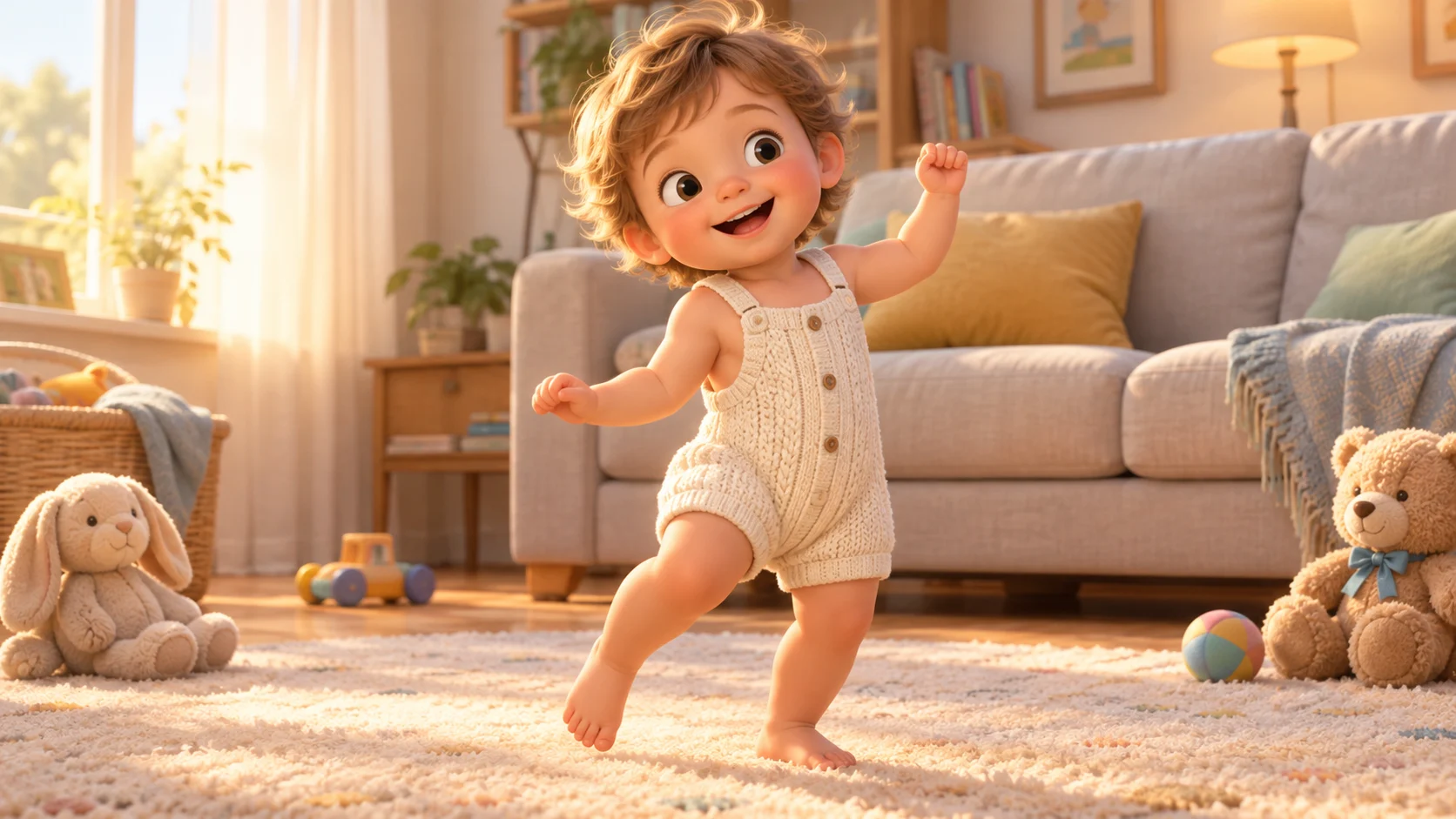
A cheerful toddler in a cream knit romper performs a gentle K-pop bounce in a cozy living room with afternoon light. Vertical 9:16 medium shot, subject centered. Keep the face and body proportions consistent, one subject only, natural hands and feet, no text, no logos, no watermark.
Duration. Five seconds is enough for a loop. Ten seconds gives the model more room to drift, so watch the final second closely.
Output. Vertical 9:16 for TikTok, Reels, and Shorts. Widescreen 16:9 for a card, a landing page, or a family slideshow.
Five baby video ideas that work in a short clip
- First birthday. A single balloon, a small cake, and a gentle bounce. Keep the props out of the face.
- Baby shower invite. A pastel backdrop and a slow sway; send it in the group chat as a vertical clip.
- Halloween costume test. A pumpkin or friendly ghost outfit, one slow turn, warm porch light. See the Halloween guide for 2026 costume directions.
- Christmas morning. A tree corner, warm fairy lights, a cozy knit outfit. See the Christmas guide.
- Everyday milestone. A plain wall, soft window light, and a ten-second clip you can keep for the family archive.
The common thread is a readable subject and one clear action. Crowded scenes and fast motion are where short clips fall apart.
How to review a draft before spending more
- Watch the whole clip once at normal speed.
- Watch the last two seconds again. Identity drift usually shows up there.
- Check the hands and feet. Extra fingers and melted shoes are common failure modes.
- Check the background edges. Warped furniture is a sign the model is struggling.
- If the motion is too strong, shorten the movement sentence. If the framing is wrong, change only the camera sentence.
Do not judge a model by one attempt. Generate a draft, note what failed, change one variable, and try again. The prompt generator has reusable templates, and the Gemini and ChatGPT guide shows how to draft a prompt in a chat tool first.
Common questions
Is there a free trial?
No. There are no free credits and no free trial. The first clip is paid, and the studio shows the cost before you submit. The one-time Try pack is the lowest-cost way to test the workflow.
Can it make a baby sing or talk?
No. This is a dance-video workflow. It does not clone a voice, generate speech, or lip-sync a song. Add music in the platform editor after export.
Can I use a photo from the internet?
Only if you have the right to use it. Do not upload another family's photo or an unlicensed stock image. The responsibility for the source image stays with you.
Can I make a longer video?
The studio supports short clips: 5 seconds and 10 seconds for standard jobs. For a longer sequence, generate several clips and join them in the platform editor. The AI dance video editor covers the last-mile steps.
What if the result looks nothing like the photo?
Start with a clearer, front-facing photo and a shorter prompt. If the likeness still drifts, the photo may be too stylized, too filtered, or too small in the frame. A modest, well-lit portrait is more reliable than a dramatic screenshot.
Next step
Open the dance studio and choose image to video if you have a photo, or text to video if you only have an idea. Read the photo to dance video guide for the input checklist, or the AI dance video generator page for the full mode comparison.
![50+ Best AI Baby Dance Video Prompts That Actually Work [2026 Guide]](/imgs/blog/baby-dance-ai-prompts.webp)
![AI Baby Dance Video Generator: How to Make Your Baby Dance with AI [2026]](/imgs/blog/how-to-make-baby-dance-ai-video.webp)







