Quick answer
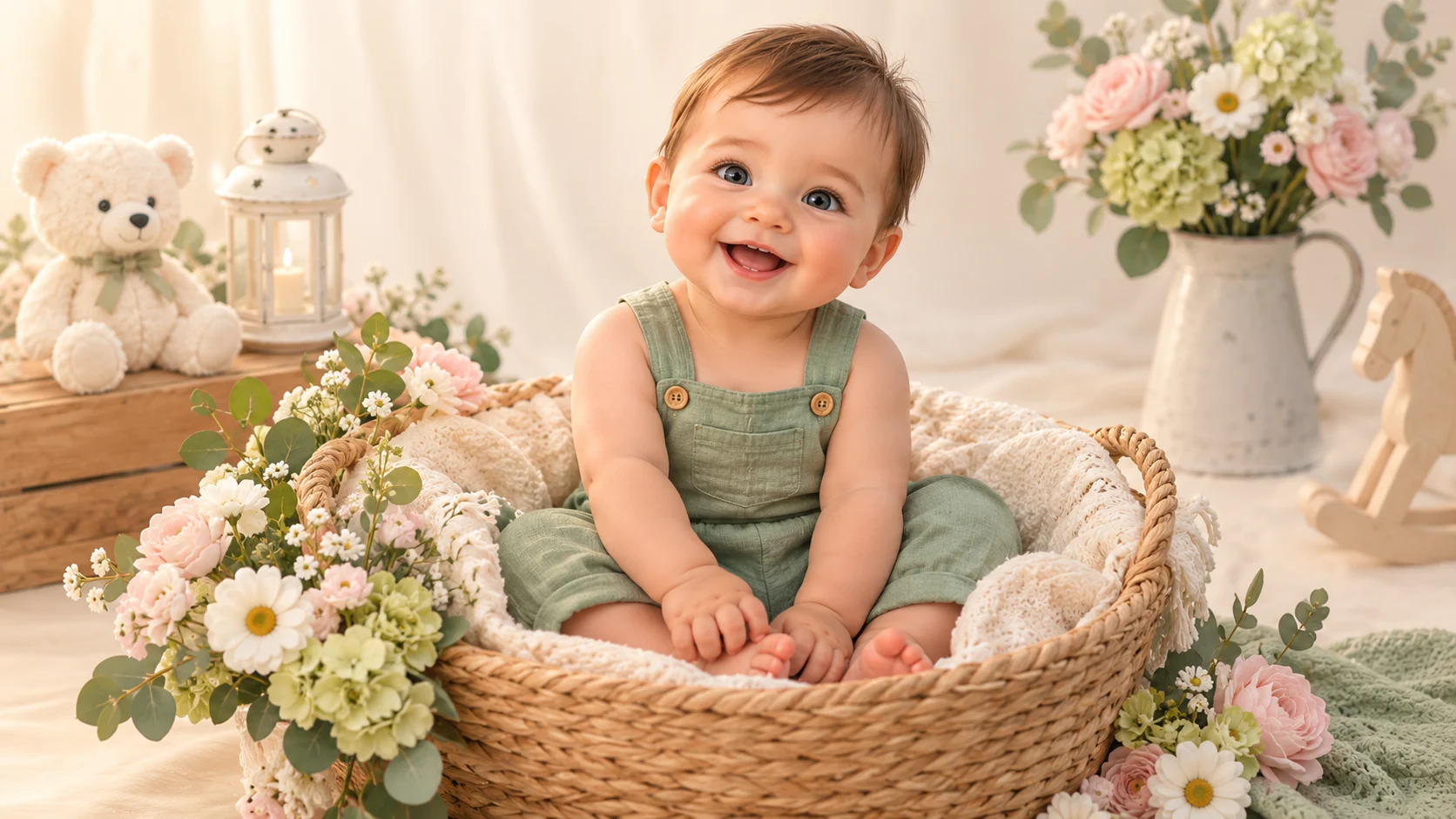
An AI baby photoshoot is a set of portraits styled like a studio session: a clean backdrop, controlled lighting, a themed outfit, and a consistent pose. You can generate the scene from a written description or edit an authorized photo into the scene. The goal is a small, coherent set, not a hundred random images.
On Baby Dance AI, an image generation is 80 credits, and the studio shows the cost before you submit. This page is the planning guide: pick a theme, write one prompt skeleton, and vary only the parts you want to change.
Choose one theme first
A photoshoot works when every image shares a visual language. Pick one theme and one backdrop, then vary the outfit or the prop.
| Theme | Backdrop | Outfit | Best for |
|---|---|---|---|
| Classic studio | Ivory or warm grey seamless | Knit romper or plain white | Newborn, six-month, family cards |
| Floral | Pastel flowers, woven basket | Linen or sage green | Spring, Mother's Day |
| Birthday | Pastel backdrop, one balloon | Party romper or tulle dress | First birthday invitation |
| Halloween | Warm porch, pumpkins | Friendly pumpkin or ghost | October cards; see the Halloween guide |
| Christmas | Tree corner, fairy lights | Knit sweater or velvet dress | December cards; see the Christmas guide |
| Milestone | Plain wall, measuring card | Neutral bodysuit | Monthly growth posts |
One theme per image. A pumpkin, a birthday cake, and a Christmas tree in the same frame is a clutter problem, not a theme.
The reusable prompt skeleton
Write one skeleton and keep it for the whole set:
A [age] baby in [outfit] [pose] in [setting]. [Lighting]. [Camera and framing]. Realistic skin and fabric texture, one subject only, natural hands, no text, no logos, no watermark.
Then change only the bracketed parts:
- Base: "A cheerful six-month-old baby in a cream knit romper sits on a soft ivory blanket, clapping hands and smiling. Soft window light from the left, 85mm portrait framing, shallow depth of field."
- Variation 1: change the outfit to sage green linen.
- Variation 2: change the backdrop to a pastel floral setup.
- Variation 3: change the pose to lying on the stomach, chin propped on hands.
Keeping the lighting and camera language identical is what makes the images look like one session.
Text-to-image or photo editing?
| Text to image | Photo editing | |
|---|---|---|
| Input | A written prompt | An authorized photo + instruction |
| Subject | Generated | The baby in the photo |
| Best for | Theme exploration, mood boards | A specific child, a family card |
| Identity | No real identity | The model tries to preserve the face |
| Cost | 80 credits | 80 credits |
If the photoshoot is for a real child, use editing mode with a clear reference photo. If you are planning a theme or making a sample for a client, text-to-image is faster. The AI baby photo editor guide covers the edit workflow, and the AI baby photo generator covers text-to-image.
How many images should a set have?
Three to six images is enough for a card, a small album page, or a social carousel. A set of three usually covers:
- A close portrait for the invitation or the cover.
- A full-body or seated shot for context.
- A detail shot (hands, feet, or a prop) for rhythm.
More images do not make a better set. Consistency does. If the first three do not match, fix the prompt skeleton before generating more.
Print-size checks
Before you print:
- Open the downloaded file and check the pixel dimensions.
- For a 5×7 inch print at 300 DPI, you need roughly 1500×2100 pixels.
- For an 8×10 inch print, you need roughly 2400×3000 pixels.
- A screen-sized image is not automatically a print-sized image.
- Check the crop: a vertical portrait may lose the top of the head in a square frame.
The studio offers multiple image sizes and output formats. Choose the largest size that fits your use case, and keep the original file.
Responsible use
- Do not present a generated baby as a real person.
- Do not use a real child's likeness without permission.
- Keep every prompt wholesome. Do not ask for outfits or poses that sexualize a child.
- Review the platform terms before commercial use.
An AI photoshoot is a design tool. It is not a substitute for a real photographer when the purpose is a legal record, an adoption profile, or a medical document.
Common questions
Do I need a real baby photo?
Not for text-to-image. If the photoshoot should feature a specific baby, use editing mode with a photo you have permission to use.
Can I make twins or siblings?
A single clear photo with both faces visible can work, but multi-subject edits are less predictable. Generate one draft and check that faces do not swap. For a reliable set, photograph each child separately and combine the images in a layout tool.
How much does a set cost?
Each image is 80 credits. A three-image set is 240 credits. The studio shows the cost before each submission; there is no separate "photoshoot" package.
Can I print the images?
Check the pixel dimensions and the platform terms first. The file is a generated image, not a photograph; some print labs may ask about the source.
What if the outfit changes between images?
Repeat the outfit sentence exactly and keep the lighting language identical. If the model still drifts, reduce the number of scene details and use a simpler backdrop.
Next step
Open the image studio and generate the first portrait of the set. If you want to edit a real photo into the theme, use editing mode. For the full prompt guide, read the AI baby photo generator page.
![50+ Best AI Baby Dance Video Prompts That Actually Work [2026 Guide]](/imgs/blog/baby-dance-ai-prompts.webp)
![AI Baby Dance Video Generator: How to Make Your Baby Dance with AI [2026]](/imgs/blog/how-to-make-baby-dance-ai-video.webp)







